Knowledge agents
EARLY ACCESSKnowledge agents are available only in the following data centers: Europe (EU1), Sweden (SE1), Germany (FR4), India (MUNM), United States (NY2), United Arab Emirates (UAE), Saudi Arabia (KSA), and Qatar (QA1).
Knowledge agents answer customer questions by retrieving information from connected knowledge sources such as documents, URLs, and files. Configure sources, test accuracy, and manage agents from a single workspace.
You can create a maximum of 3 knowledge agents per account. Knowledge agents do not support versioning. If you need versioning or more complex workflows, use Agents instead.
Knowledge agents page
To access knowledge agents, go to AI Agents > My agents > Knowledge agents tab.
The table displays the following information for each knowledge agent:
| Column | Description |
|---|---|
| Name | Agent name. Select to open the agent. |
| Status | Not configured, Agent is learning, or Ready to use. |
| Last updated | Date and time of last modification. |
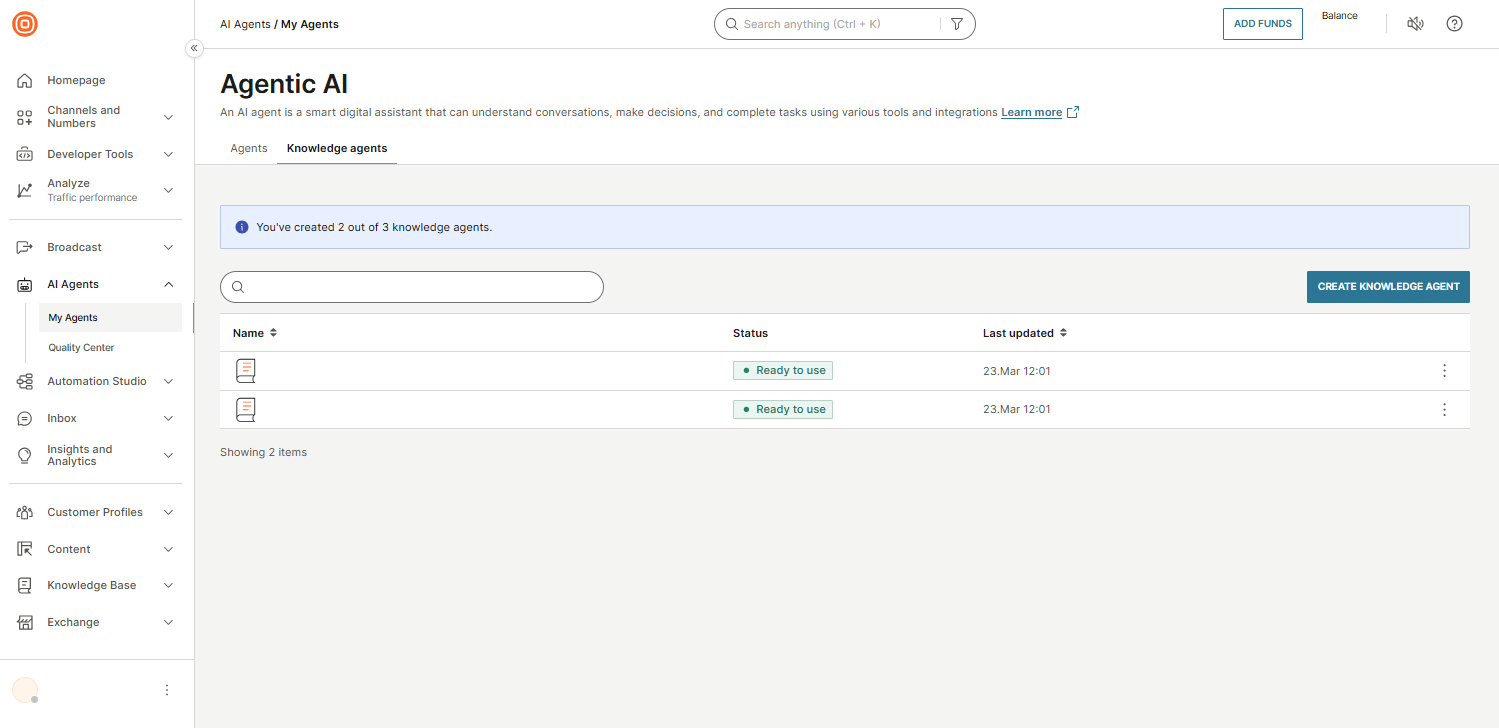
From this page, you can do the following:
- Search for knowledge agents by name.
- Create a new knowledge agent by selecting Create knowledge agent.
- Use the three-dot menu on each agent to edit, go to Quality center, or delete.
For more details on each action, see Manage knowledge agents.
How knowledge agents work
To create and use a knowledge agent, do the following:
- Create and configure the knowledge agent.
- Connect knowledge sources that the agent uses to generate responses.
- Test the agent with sample questions.
- Integrate the knowledge agent with your chatbot or use it as a subagent within an orchestration.
When an end user sends a question, the knowledge agent does the following:
- Searches the connected knowledge sources for relevant content.
- Identifies paragraphs that contain the best matches.
- Sends the following to a large language model (LLM) to generate a response:
- The end user's question
- The matched paragraphs from the knowledge sources
- The configured agent settings and prompt instructions
- Returns the response to the end user.
Knowledge agents use LLMs, which have built-in general knowledge from their pre-training data. The agent can sometimes answer questions that are not explicitly covered in the connected knowledge sources. Manage this behavior by configuring well-designed prompts.