Content Security Policy (CSP)
If you use Content Security Policy (CSP) on your website, you will need to add sources required by Live Chat. If you have not installed the widget yet, see Installation.
To find the required sources:
- Open the widget configuration page and select Installation and security.
- In the Content Security Policy (CSP) section, expand Recommended CSP sources. If your security policy does not allow wildcard sources, expand Specific CSP sources instead.
- Add the displayed sources to the corresponding CSP directives.
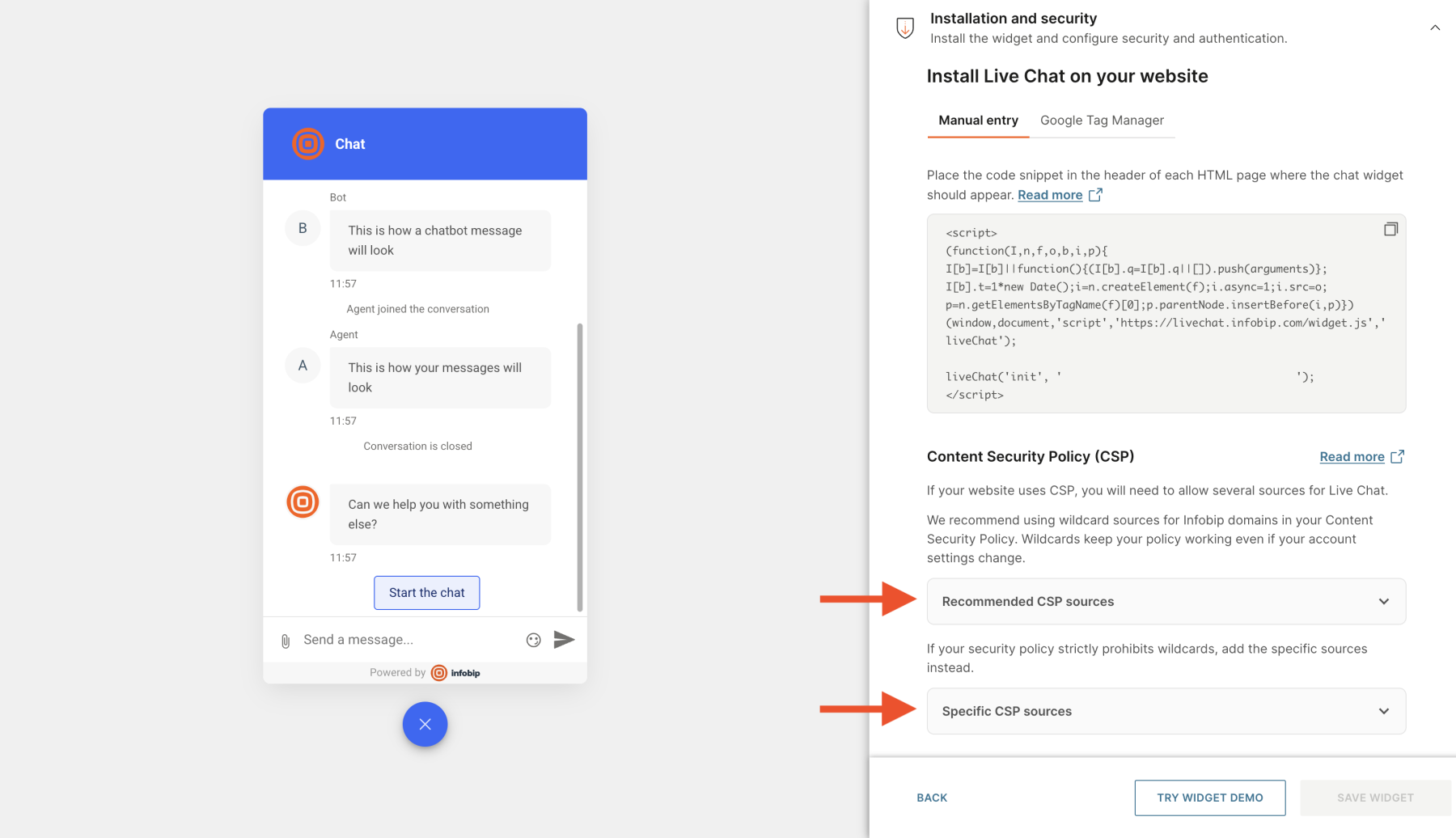
Some directives require additional values that are not shown in the widget configuration. See Directive details.
You can test the updated policy by going to the page containing your widget and looking for error messages mentioning Content Security Policy in the browser console.
Directive details
The examples below illustrate typical policy entries using wildcard Infobip sources. Use the values displayed in your widget configuration and preserve any other values required by your website.
script-src
The script-src directive specifies valid JavaScript sources. Add sources to this directive to enable Live Chat to load the widget script.
The widget installation snippet contains inline JavaScript. If your policy blocks inline scripts, use one of these approaches:
- Assign a nonce to the installation script, then add the same nonce to your policy.
- Add a hash of the installation script to your policy. If the snippet changes, update the hash as well.
Nonce example
Hash example
connect-src
The connect-src directive controls network connections. Add sources to this directive to enable Live Chat to make API requests and WebSocket connections.
frame-src
The frame-src directive specifies valid sources for embedded frames. Add sources to this directive to enable Live Chat to load the widget in an iframe.
style-src
The style-src directive specifies valid stylesheet sources. Add sources to this directive to enable Live Chat to load styles.
Add 'unsafe-inline' to enable the widget to use inline styles.
img-src
The img-src directive specifies valid image sources. Add sources to this directive to enable Live Chat to load images such as widget icons.
The default Live Chat SVG icon uses the data: scheme. Enable it if you use the default icon.