Manage API keys
Create scoped API keys to control access by application, entity, endpoint, and channel in CPaaS X. For a conceptual overview of why scoped keys matter and how scopes work, see Secure your CPaaS X setup. For general API key concepts and authentication methods, see API authentication. To manage existing keys (view, update, disable), use the API key management page or the Account Management API.
Prerequisites [#prerequisites]
To create scoped API keys, you need:
- An active Infobip account with CPaaS X enabled.
- Applications and entities already created if you want to scope a key to them. See Manage applications and entities.
Create a scoped API key [#create-a-scoped-api-key]
- In the Infobip web interface, go to Developer tools > API keys.
- Select Create API key.
- Enter a descriptive Name (for example,
customer-a-sms-key). - Optionally, set an Expiration date for automatic key rotation.
- Optionally, add Allowed IP addresses to restrict usage to specific IPs.
- Under API Scopes, select the required permissions:
- General:
message:send,inbound-message:read. - Channels: Select by channel (SMS, Email, WhatsApp, and more) and operation (send, read logs).
- Platform:
sending-strategy:manage,metrics:manage, and more.
- General:
- Optionally, under Applications and entities, select Add application and entity to link the key to a specific application/entity for CPaaS X isolation.
- Select Create.
Store the API key securely. It is only shown once during creation. If lost, create a new key.
Use the Create API key endpoint to create scoped API keys programmatically. You can specify scopes, allowed IP addresses, and expiration dates.

API key restriction [#api-key-restriction]
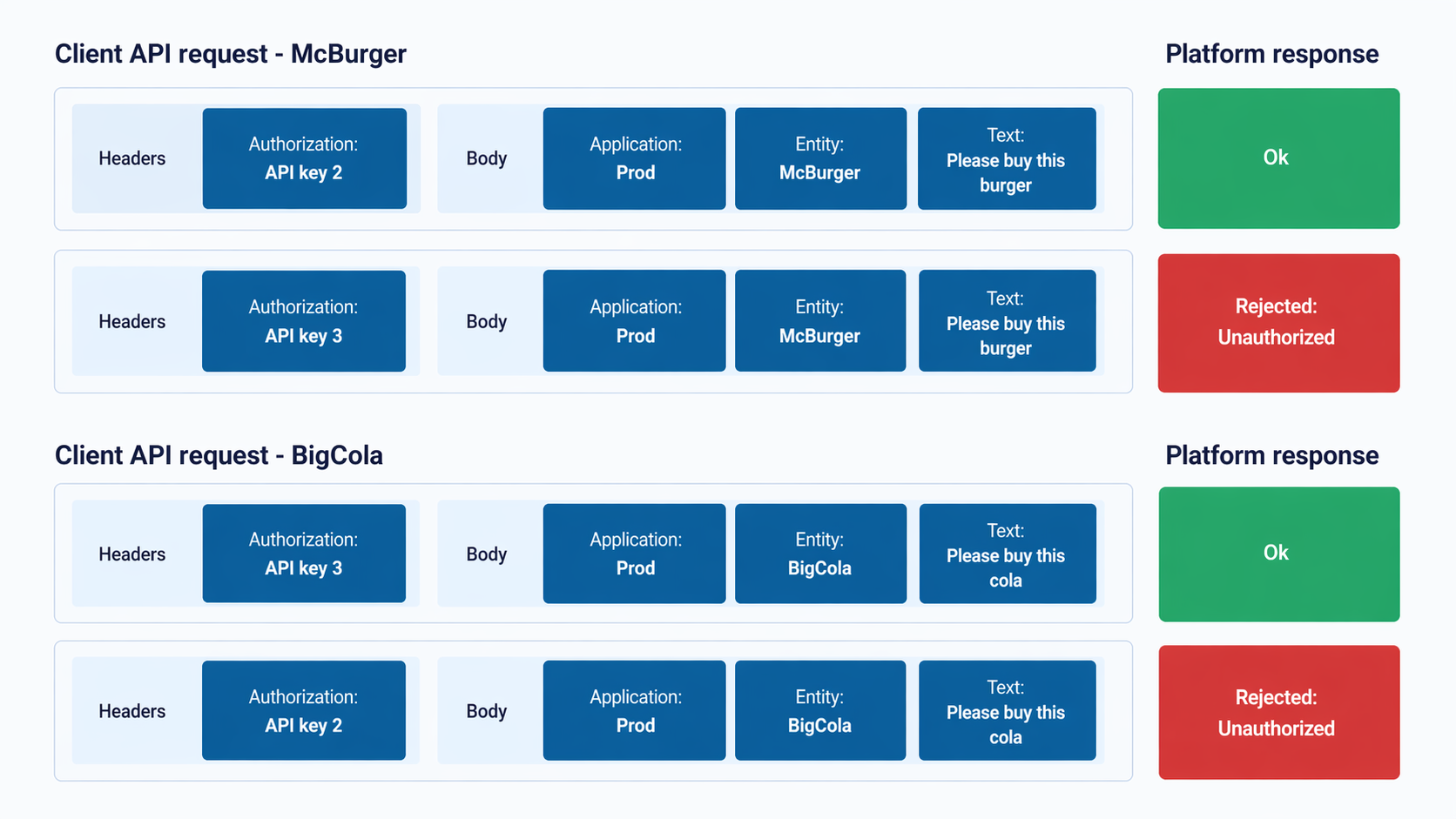
You can restrict API keys to specific applications or entities, ensuring that access is controlled at the application or entity level.
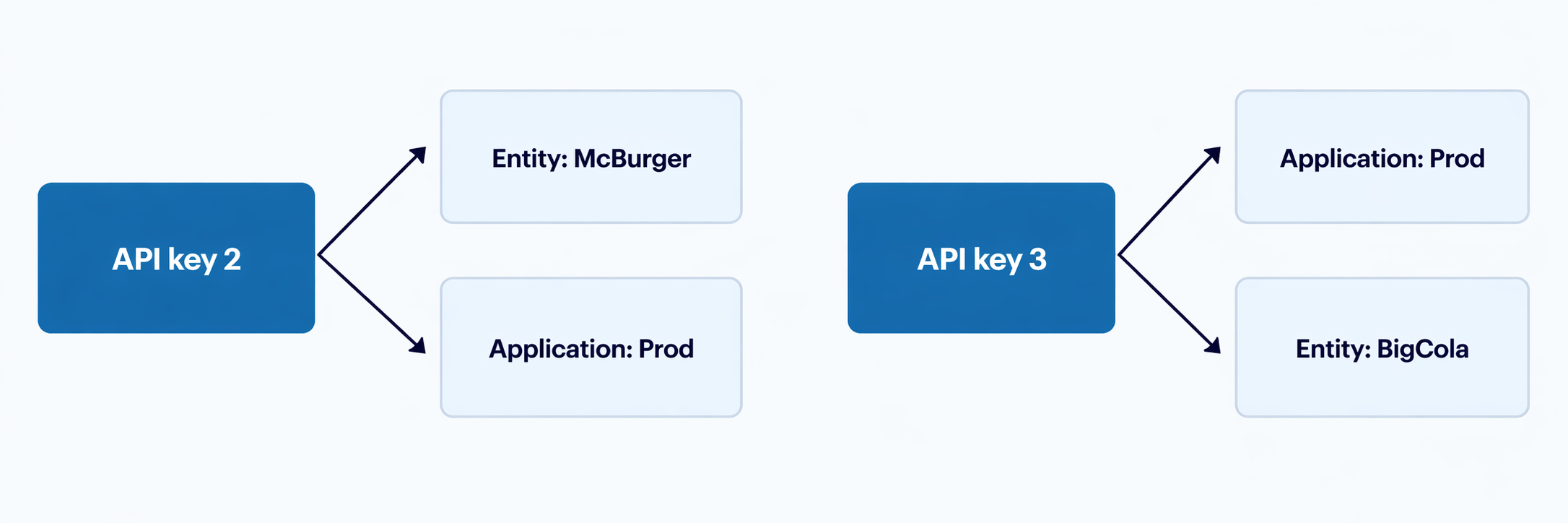
For example, if you attempt to use an entity-scoped key with a different entity, you receive an unauthorized access response. However, the primary API key can still be used in both requests as it has access to all public endpoints.
Supported endpoints [#supported-endpoints]
Scoped API keys restrict access to specific API endpoints across three categories: Customer engagement (Conversations, People), Channels (SMS, Email, WhatsApp, Voice, and more), and Platform (Metrics, Sending strategy management).
Secure your CPaaS X setup
Scope types, dimensions, and when to use each.
Applications and entities
Core concepts and organizational hierarchy.
Webhook subscriptions
Real-time delivery notifications per entity.