Knowledge Base in Conversations
Knowledge Base integrates with Conversations as a shared component, providing agents with instant access to articles during customer interactions. This integration enables both manual search and automated content suggestions through the context card interface.
Manual search in context card
Agents using Conversations can search the Knowledge Base while actively conversing with a customer.
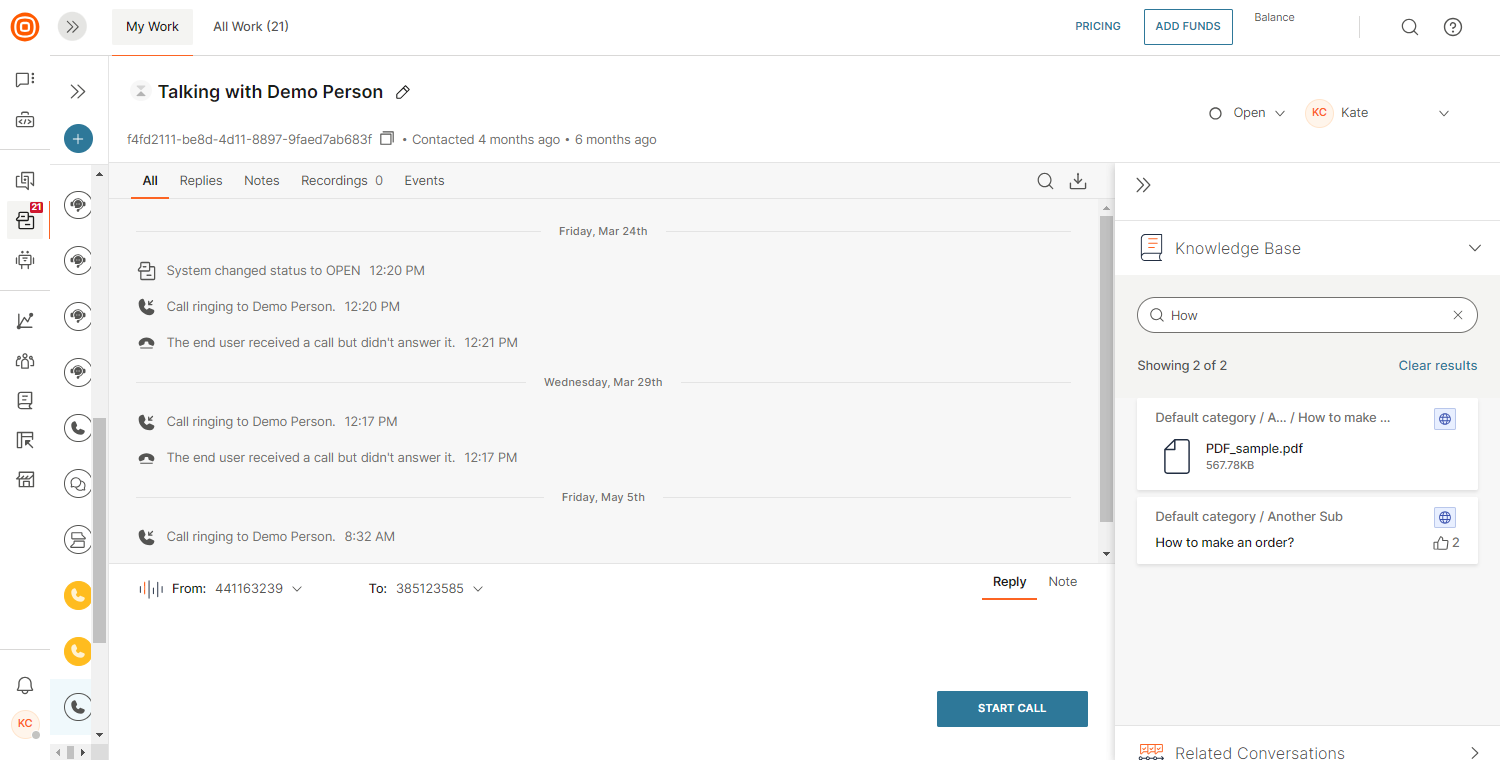
Agents can search within the Conversations context card by typing a term in the search box.
Search results in Knowledge Base
Search results are prioritized based on search phrase occurrence in the article title, tag, and content, exactly in this order.
- Titles are searched first, and files attached to an article are displayed as standalone search results.
- Agents can read the entire article and view attached files.
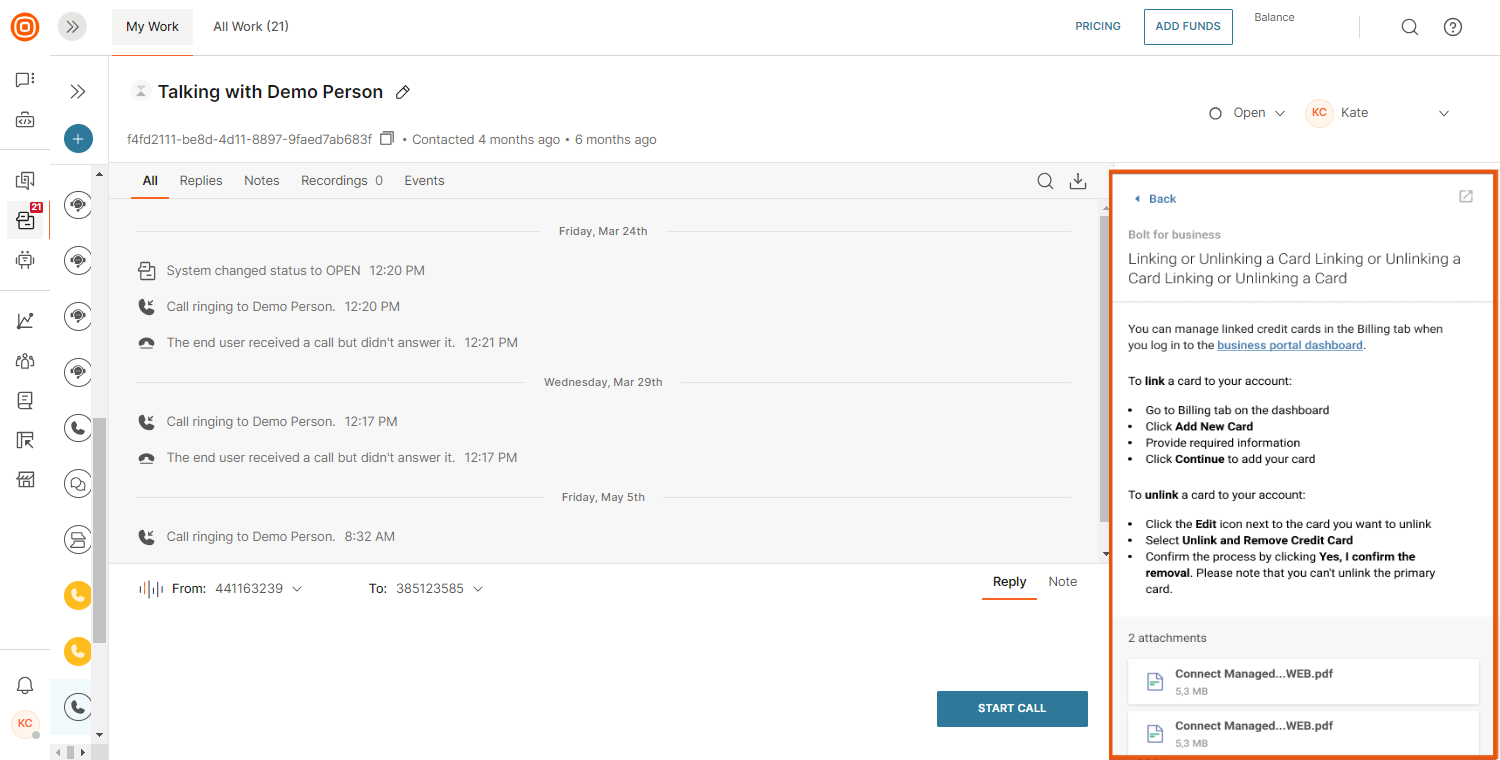
- Agents can switch from a compressed view to a full view by selecting the Expand icon.
Every article has its unique link and it is private. Do not share the article link in your conversation with the end user. Instead, use copy/paste to share the information your customer needs.
Suggested content in context card
To simplify agent workflows, the system automatically suggests articles based on active conversations between agents and customers.
All communication channels are supported except Email, Voice and Video, and Zalo. No additional configuration is required.
Suggested content is generated from the last five customer messages. The system uses these messages as search queries and displays the most relevant articles. If a message is unclear and results are not useful, agents can clear the selections to refresh the suggestions.
If an agent manually searches the Knowledge Base, automatic suggestions are temporarily hidden.