Message types
Each LINE service offers different message types. Different rules may apply to each message type.
LINE Official Notifications (LON)
Message templates [#message-templates-line-official-notifications-lon]
Use message templates to ensure that communication follows LINE guidelines.
Message templates include the following sections:
- Header
- Icon (optional)
- Body
- Buttons (optional)
- Footer
Header and Footer [#header-and-footer-line-official-notifications-lon]
Header and footer are required, fixed, and predefined by LINE. You cannot apply changes.
Icon [#icon-line-official-notifications-lon]
Icon is optional and must always be aligned in the middle at the very top of the message body. The message can only contain one icon exclusively from the LINE icon collection. Whenever an icon is used, the title in the body must also be placed at the central position. Use of images, audio, and video is not allowed.
Body [#body-line-official-notifications-lon]
The body section is mandatory and must follow these guidelines.
- Choose one of four structures to use in the body: Basic, Emphasis, List, or Mix.
- Use only predefined content categories in the body.
- Always place the "Title" categor at the top, and the "Button" category at the bottom as a rule of thumb.
- The title is always required, fixed upon template approval, and cannot be altered. Match the title to the use case, such as Notice of delivery schedule, Notification of order completion, Notice of product shipment, or Registration complete.
- Arrange other content categories in any order.
- Add a required separator when using emphasis.
- Follow character limits set by LINE for the following categories: "Greeting message", "Explanation" and "Apology".
- Show any amount or price in local currency or in USD.
Buttons [#buttons-line-official-notifications-lon]
Buttons are optional. They should follow these guidelines.
- Place buttons at the bottom of the notification.
- Once registered as part of the template and approved, the button and the registered URL are fixed and cannot be changed. The message must be informational, so the button should lead to a page with additional information.
- The only action behind a button can be to open a specified URL in LINE's in-app browser
- Exception: If an OA (sender) has a chatbot solution connected to it, the button can be used to send a webhook to trigger the chatbot or CRM discussion with the OA operator.
- Clients can only register one button, with the exception of two buttons for the following use cases: Delivery, Expiration notice, Order confirmation, Departure notice.
- Buttons are not allowed for the Contact center use case.
Design structures [#design-structures-line-official-notifications-lon]
There are four different structures to use in body:
- Basic
- Emphasis
- List
- Mix
Basic [#basic-line-official-notifications-lon]
- Body with title and explanation
- Body with title, explanation, and button
- Body with title, explanation, and two buttons
Emphasis [#emphasis-line-official-notifications-lon]
- Body with title, emphasis, and explanation
- Body with title, emphasis, explanation, and button
- Body with title, emphasis, explanation, and two buttons
List [#list-line-official-notifications-lon]
- Body with title, list, and explanation
- Body with title, list, explanation, and button
- Body with title, list, explanation, and two buttons
Mix [#mix-line-official-notifications-lon]
- Body with title, emphasis, list, and explanation
- Body with title, emphasis, list, explanation, and button
- Body with title, emphasis, list, explanation, and two buttons
LINE Official Account (Two-way)
Outbound messages [#outbound-messages-line-official-account-two-way]
Text [#text-line-official-account-two-way]
Text messages are limited to 5,000 characters, including spaces.
Image [#image-line-official-account-two-way]
To send an image, upload it to an internal server first.
| Media type | Format | Size |
| Image | .jpeg, .png | Image size: No limits File size: 10 MB (maximum) |
| Preview Image | .jpeg, .png | Image size: No limits File size: 1 MB (maximum) |
| Image URL | Character limit: 2,000 (maximum) |
Imagemap
Imagemap messages are interactive images with multiple tappable areas. Imagemap messages can be configured to:
- Open a webpage by tapping a designated area.
- Send a message to your business on the end user's behalf.
- Play a video over an image.
- Display link text after a video finishes playing.
Video
Send a video message to a follower. The video and a preview thumbnail must be hosted at publicly reachable HTTPS URLs.
| Media type | Format | Size |
| Video | Publicly reachable HTTPS URL | File size: 200 MB (maximum) |
| Thumbnail | Publicly reachable HTTPS URL | File size: 1 MB (maximum) |
Audio
Send an audio message to a follower. The audio file must be hosted at a publicly reachable HTTPS URL.
| Parameter | Requirement |
| Audio URL | Publicly reachable HTTPS URL. Maximum file size: 200 MB. |
| Duration | Length of the audio in ISO-8601 duration format (for example, PT1M30S for 1 minute 30 seconds). |
File
Send a file attachment to a follower. The file must be hosted at a publicly reachable HTTPS URL. Maximum URL length is 800 characters.
Sticker
Send a sticker to a follower. Specify the package ID and sticker ID from a LINE sticker set.
Location [#location-line-official-account-two-way]
Location messages are interactive maps that deliver location information to users.
Location messages have the following information:
- Longitude: Coordinates between -180 and 180
- Latitude: Coordinates between -90 and 90
- Location Title: Name of the location (maximum 100 characters).
- Address: Address of the location (maximum 100 characters).
Rich card [#rich-card-line-official-account-two-way]
Rich cards are available in Moments, Answers, and Conversations API.
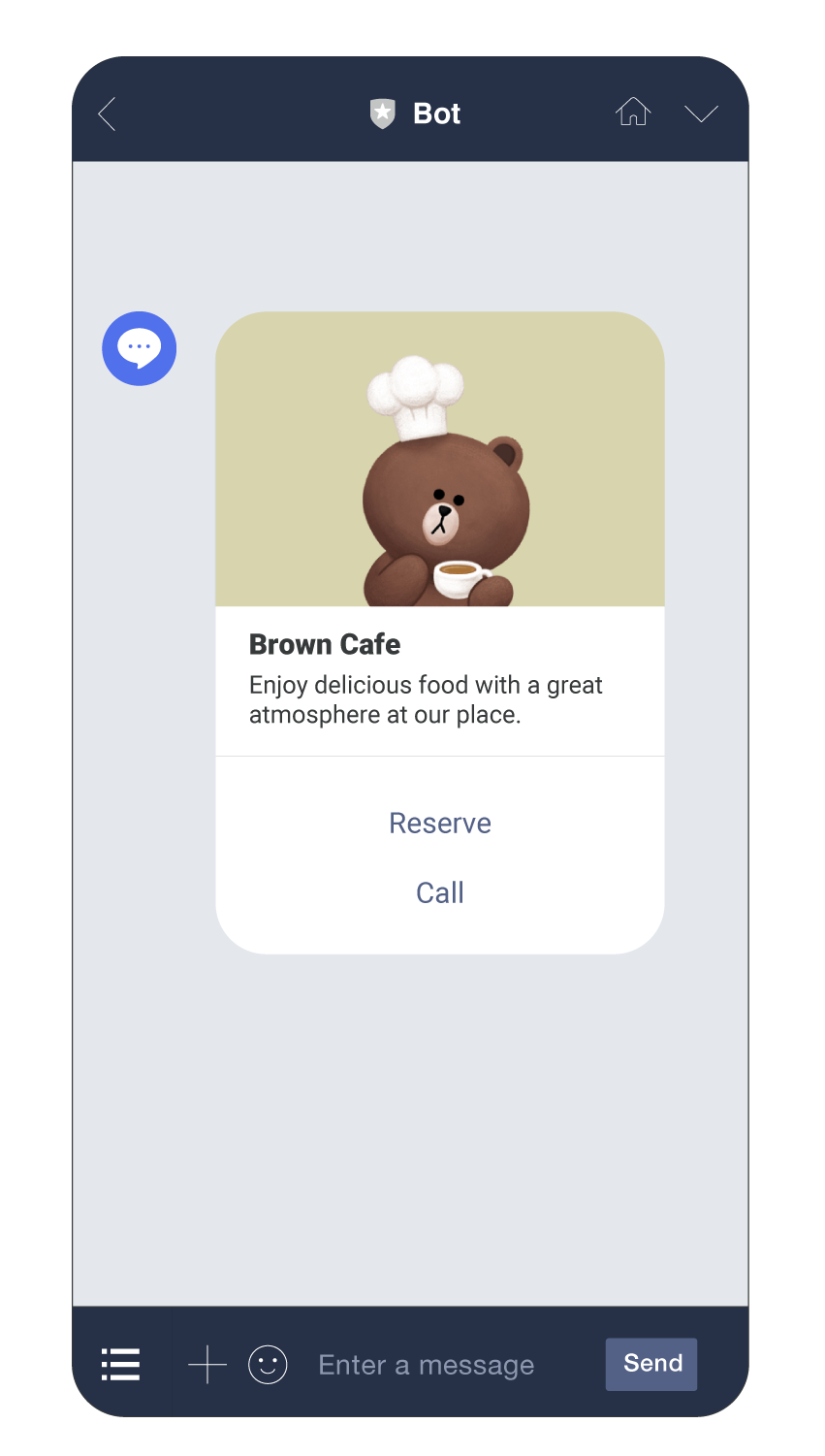
Rich cards have the following components:
- Image: To send an image, upload it to an internal server first.
- Title: Text with a maximum character limit of 40
- Text
- Text without image or title: Maximum of 160 characters.
- Text with image and title: Maximum of 60 characters.
- Action button: Up to 4 action buttons. Supported actions are open URL and reply message.
| Media type | Format | Size |
| Image | .jpeg, .png | Width: 1024 px (maximum) File size: 10 MB (maximum) |
| Image URL | Character limit: 2,000 (maximum) |
Carousel [#carousel-line-official-account-two-way]
Carousel messages enable you to send multiple rich cards in one message.
If you want to send information about multiple related items, you can use Carousel messages instead of sending each item in a separate rich card. Customers can use horizontal scroll to view the rich cards within the carousel. Customers can compare the items in the cards and take actions for individual rich cards.
Carousel messages have the following components:
- Image: To send an image, upload it to an internal server first.
- Title: Text with a maximum character limit of 40.
- Text
- Text without image or title: Maximum of 120 characters.
- Text with image and title: Maximum of 60 characters.
- Action button: Maximum of 3 action buttons. Supported actions include opening a URL, sending a reply message, or postback.
| Media type | Format | Size |
| Image | .jpeg, .png | Width: 1024 px (maximum) File size: 10 MB (maximum) |
| Image URL | Character limit: 2,000 (maximum) |
Template (Confirm)
A confirmation template that presents a question with exactly two action buttons (for example, Yes/No or Confirm/Cancel). The message text has a maximum length of 240 characters.
Template (Image Carousel)
A carousel of image-based cards where each image triggers an action when tapped. Supports 1 to 10 image columns. Each column requires an image URL and an associated action.
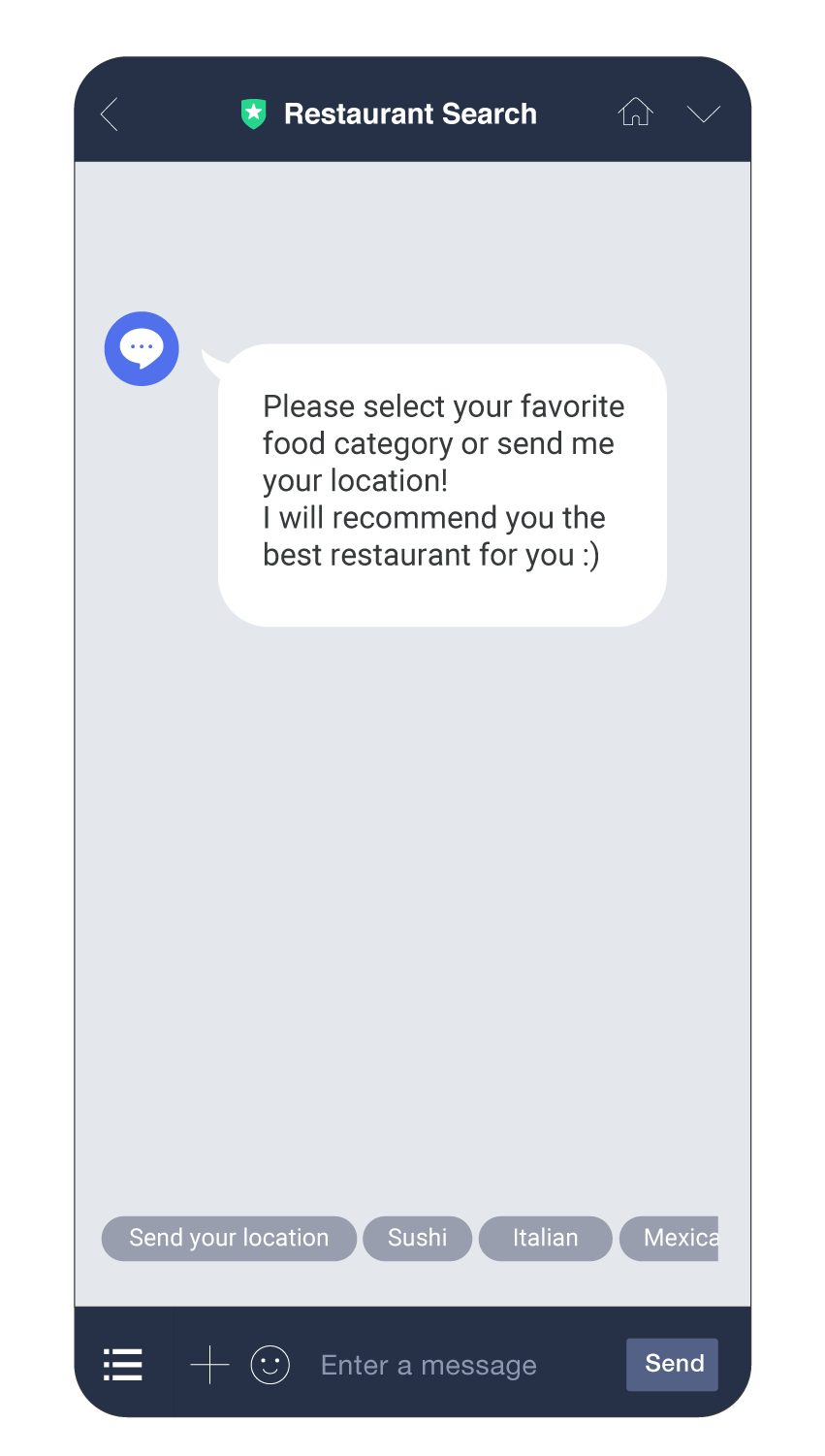
Quick reply [#quick-reply-line-official-account-two-way]
Quick replies are available only in Moments.
You can include a maximum of 13 quick reply buttons to each of the following message types:
- Text
- Image
- Rich card
Supported actions are open URL and reply message.
Flex
Flex Messages use a JSON-based structure to create custom message layouts. They support a combination of text, images, buttons, and separators arranged in bubble or carousel containers. An alternative text parameter (maximum 400 characters) is required for push notification display.
For more information about Flex Message structure, see the LINE Official Account API reference.
Multipart
Send up to 5 messages of different types in a single API request. Each part can be any supported outbound content type (text, image, video, audio, file, sticker, location, imagemap, template, or flex).
Inbound messages [#inbound-messages-line-official-account-two-way]
Receive incoming messages in real-time when you use LINE for two-way communication.
An inbound message can consist of the following:
- Text
- Image
- Audio
- Video
- File
- Location
- Sticker