Operator connectivity status
The external-connectivity-status.infobip.com(opens in new tab) page includes details on ongoing and past instances of degradation and outages between Infobip, partner operators, and MNOs. These are network-level issues affecting Infobip coverage that originate outside the platform. It also displays announced, active, and past operator maintenance activities. This is a separate status page from Platform status and incidents, which covers the health of the Infobip platform itself.
External connectivity status page sections
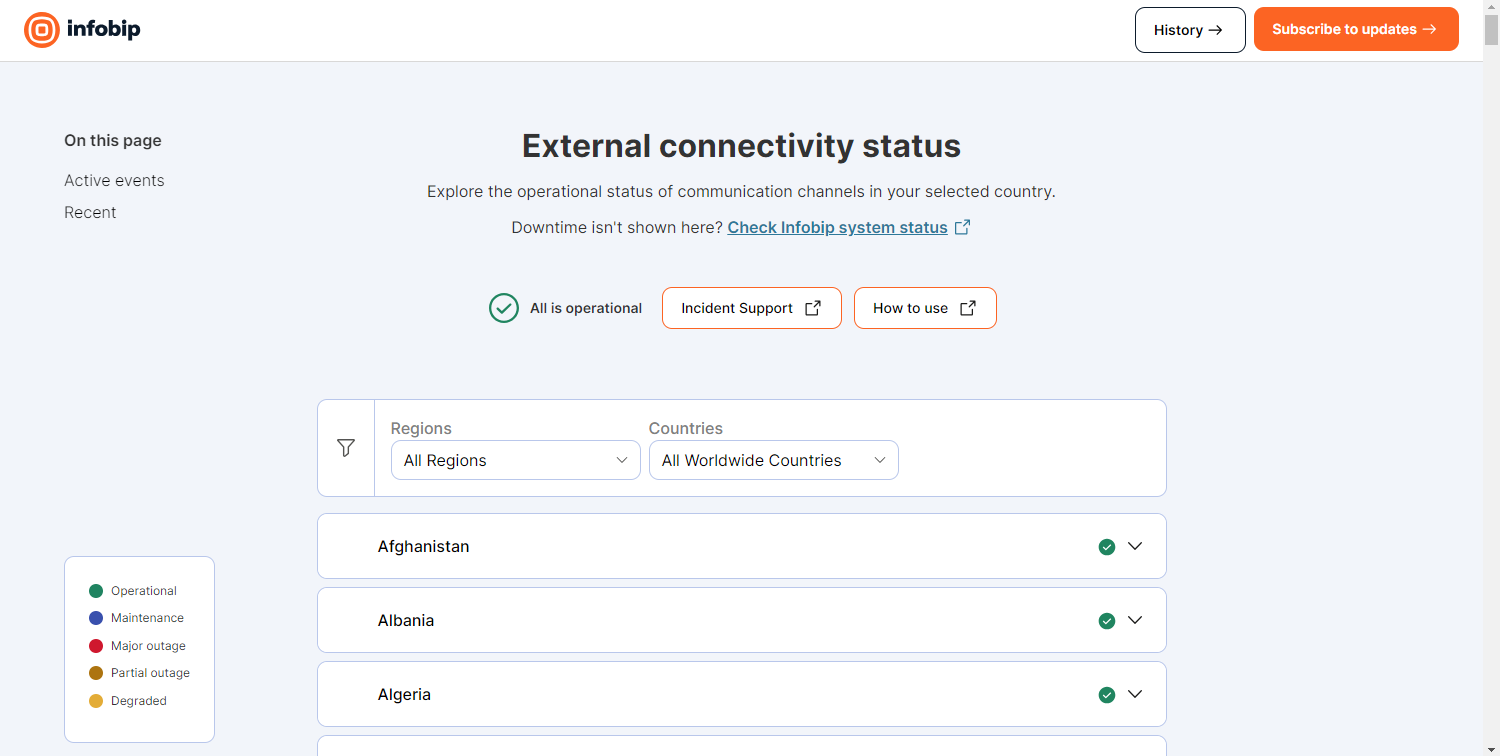
The page has the following sections:
- Active events: All active outages and degradations.
- Scheduled: All incoming planned operator maintenance, with details.
- Recent: A history of recent incidents.
To find a country, select the region in Regions (EMEA, APAC, or Americas), and then select the country in Countries. Expand a country to see the channels available for it, such as SMS, Voice, and USSD, and the status of each. Performance information (degradations, outages, maintenance) is shown per combination of country and channel.
How an active incident appears
An active degradation, outage, or maintenance activity always appears prominently under Active events at the top of the page. The post subject is the affected country and network, along with its current status. The affected channel under that country also changes status and color.
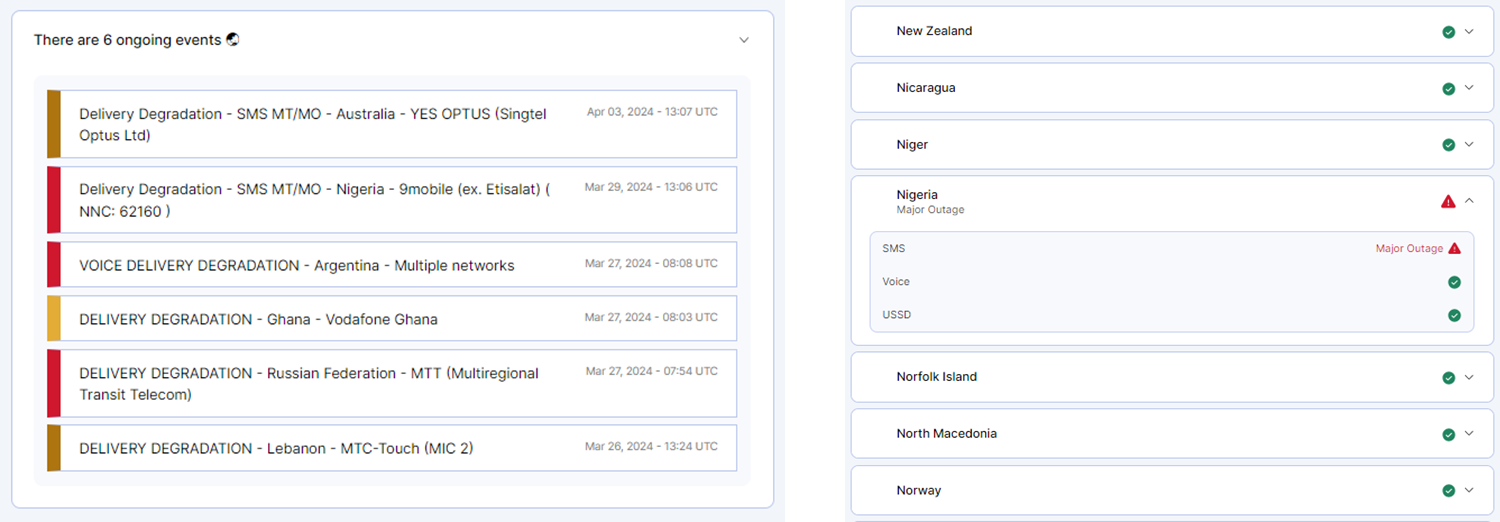
Each post moves through the following incident statuses:
| Status | Description |
|---|---|
| Investigating | The issue is detected and under investigation. |
| Identified | The exact impact is identified, and the responsible third parties (operators, MNOs) have been notified. |
| Monitoring | Infobip is observing improvements after the operator made adjustments. |
| Resolved | The issue is resolved, and traffic is delivered on time. |
Each affected component also carries a status shown by color, as in the legend on the page:
| Component status | Color |
|---|---|
| Operational | Green |
| Degraded | Yellow |
| Partial outage | Dark yellow |
| Major outage | Red |
| Maintenance | Blue |
Subscribe to alerts
To receive notifications for the country networks and channels you use:
- On the External Connectivity Status(opens in new tab) page, select Subscribe to Updates.
- Choose how to receive notifications: email, Slack, webhook, or Atom or RSS feed.
- For email, enter your email address, and select Subscribe via email.
- If prompted, enter the one-time password (OTP) sent to your email address, and select Verify OTP and Subscribe.
- Select the components (Infobip Coverage destinations) you use. Components are grouped by country, with the channels under each country. All components are selected by default. To clear the selection, select Select none.
- Select SAVE.
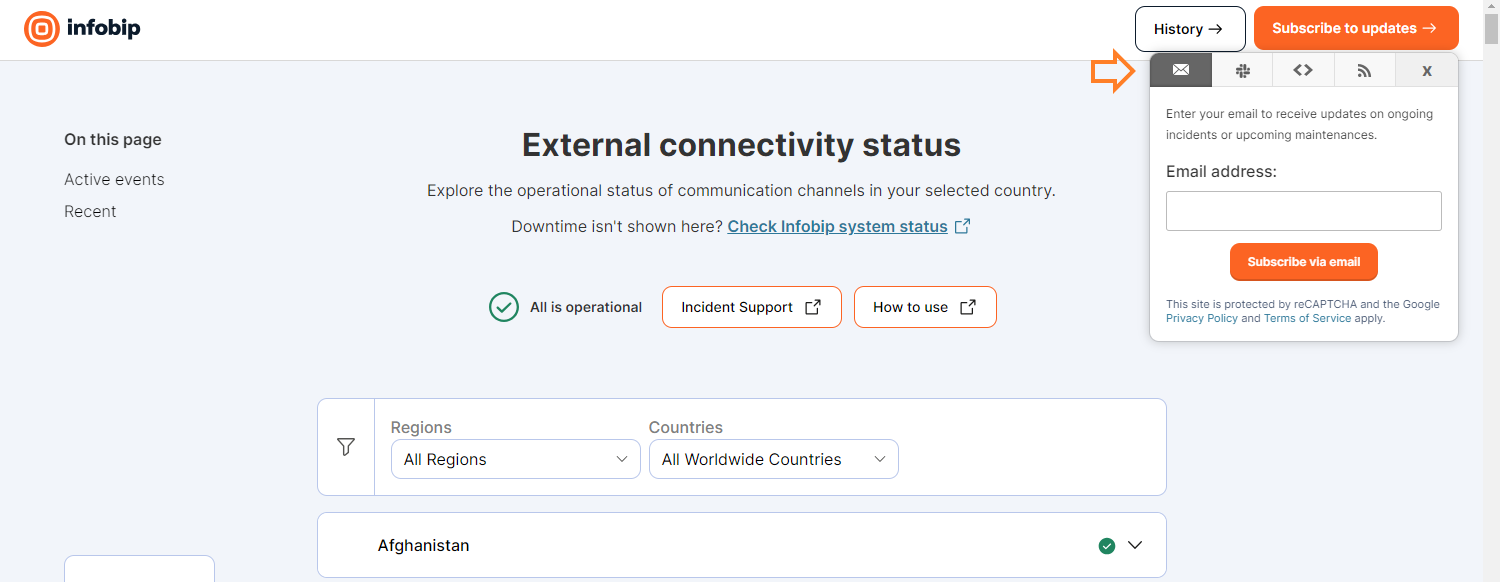
You are notified when there is a degradation on the selected country networks. You are also notified when an operator posts maintenance in your subscribed region or country.
The following are examples of component subscriptions:
- SMS on 9mobile network in Nigeria: Subscribe to EMEA/Nigeria under the SMS channel.
- Voice and MMS towards Clearsky network: Subscribe to SMS channel for AMERICAS/United States.
- Email, Viber, and services not visible on External Connectivity Status: Check status.infobip.com(opens in new tab) instead.
To report an issue, select Incident Support on the page to email Support. Do the same when you cannot find an active incident that matches your problem.
Previous traffic degradations and maintenance
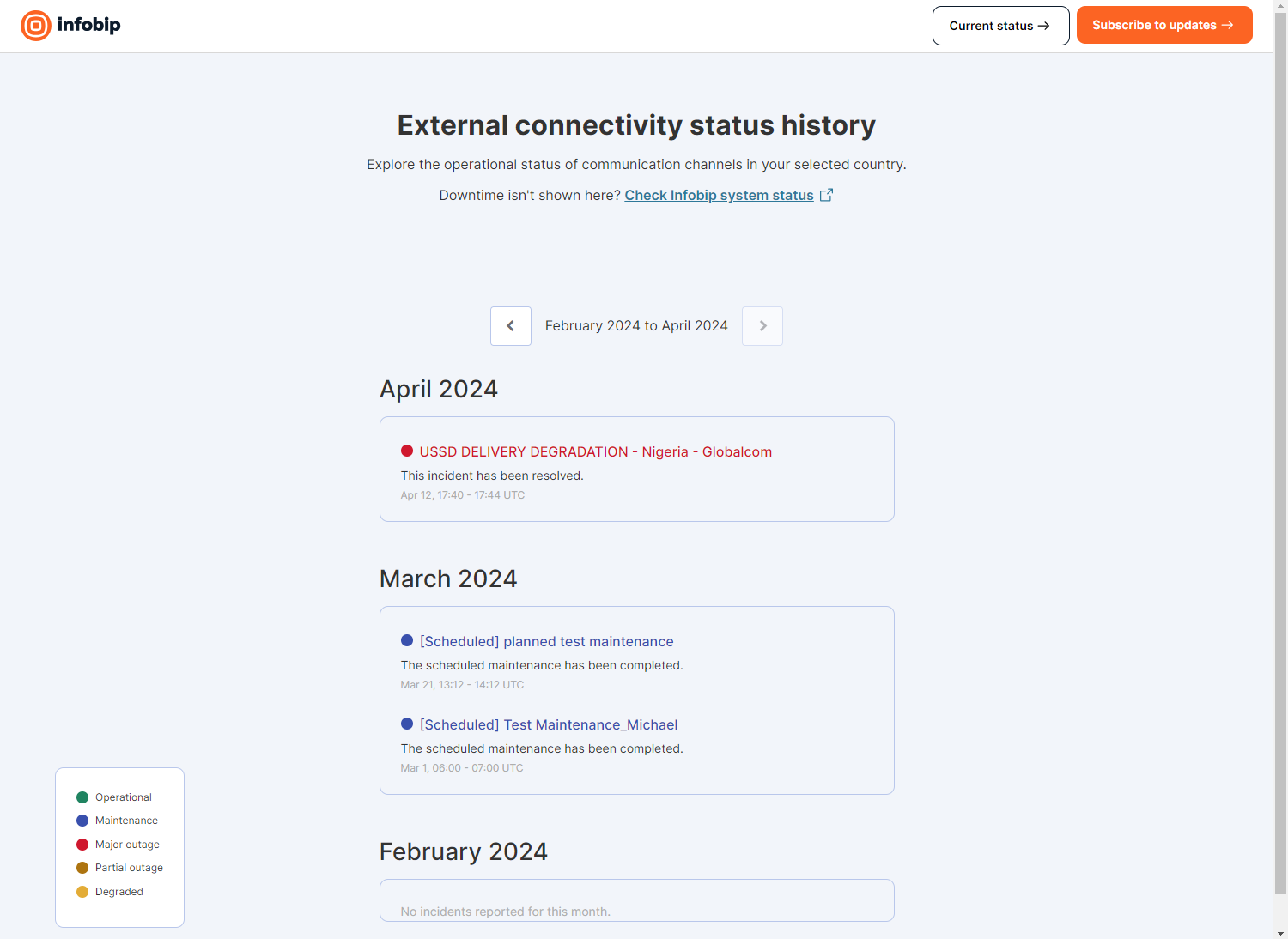
Previous degradations and maintenance are listed under Recent in chronological order. Select the title of an event to view all details, progress updates, and affected components. For the full outage history(opens in new tab), select History on the page.
Platform status and incidents
Check platform status, incident stages, maintenance types, and how to request a root cause analysis.
Network connectivity troubleshooting
Diagnose network connectivity issues between your system and Infobip endpoints, including SMPP.
Get help
Raise a ticket, and the full support flow.
Was this page helpful?