Troubleshoot Android and iOS issues
Find known RCS issues on Android and iOS, with solutions and workarounds. For best practices and platform behavior guidance, see RCS behaviors and guidance.
If you encounter an issue not listed here, follow this reporting procedure:
iOS issues: Report the issue using the Apple Feedback Assistant app. After submitting, send the Feedback ID (FBID) with detailed description, message screenshots, and video recordings (optional) to Infobip Support.
Android issues: Submit a bug report with detailed description, message screenshots, and video recordings (optional) to Infobip Support. For instructions on how to capture a bug report on Android, see Capture a bug report.
For a quick reference of platform differences, see Platform-specific behavior summary.
Android troubleshooting
URL previews in rich cards and carousels
Issue: URL previews do not function in rich cards and carousels.
Solution:
Use suggested actions with the type OPEN_URL (Browser or WebView mode) to redirect users to web pages.
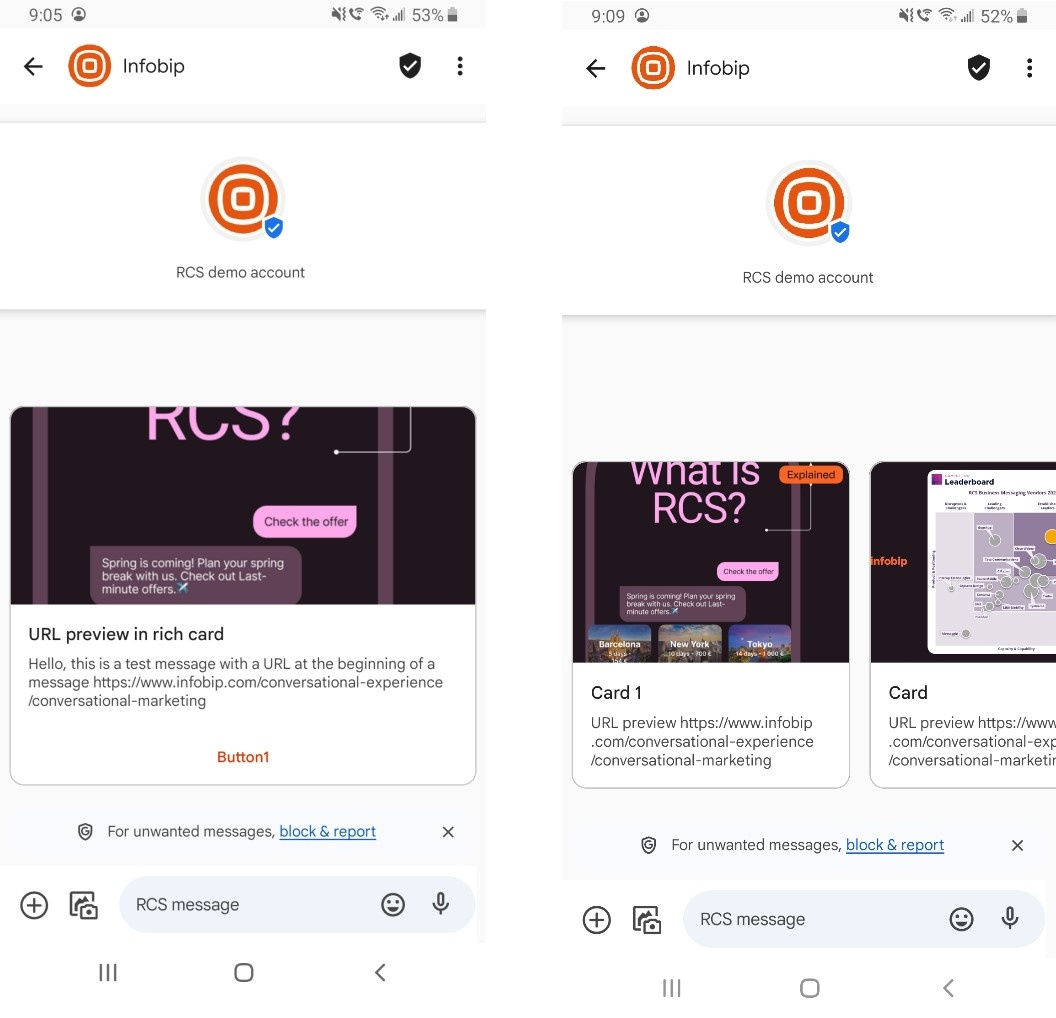
Agent preview changes (Android)
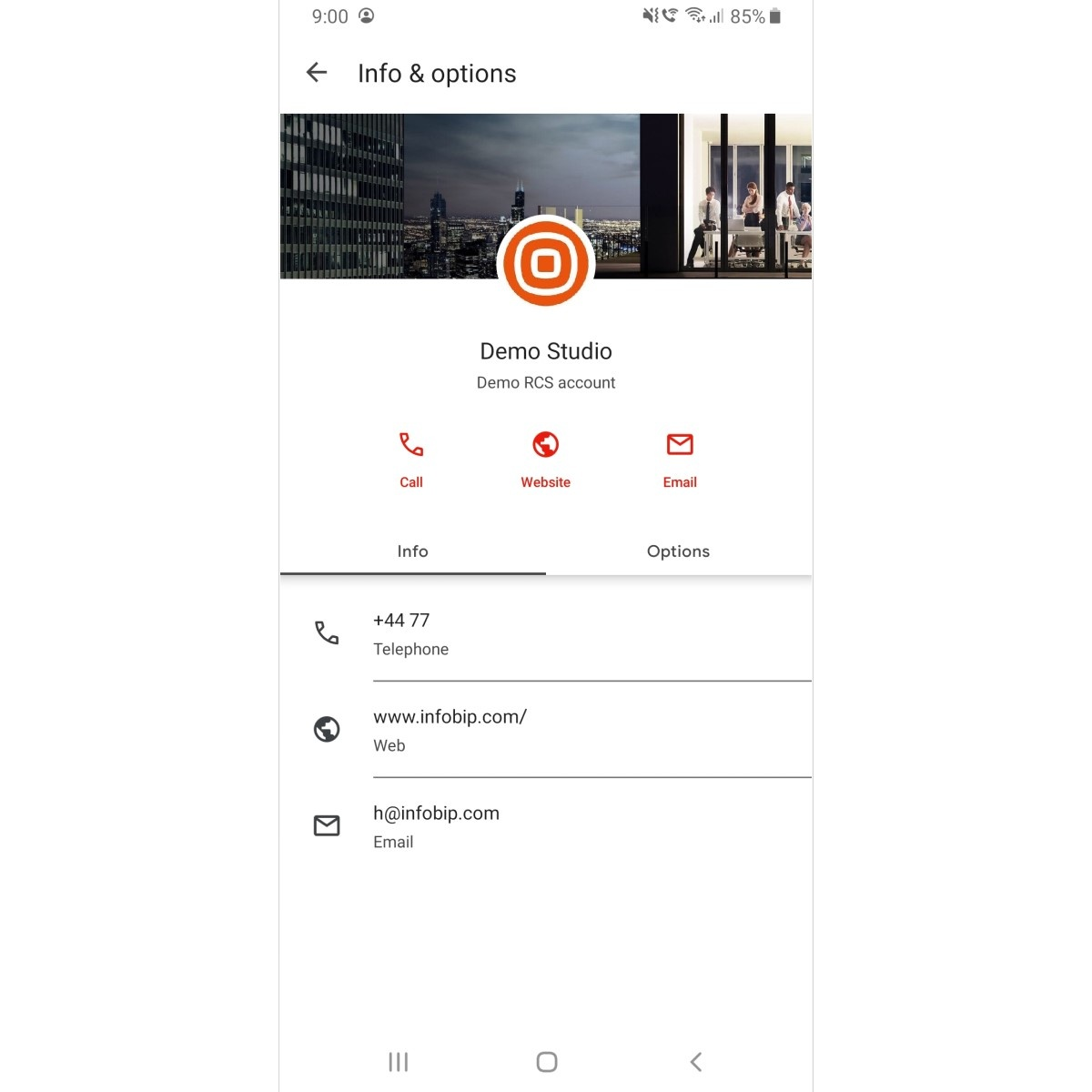
Issue: Changes made to the agent are not visible in the message thread, even after deleting the message thread and closing the messaging app. The agent preview displays information from the first message or conversation.
Solution: In the messaging app, clear the cache, data storage, and restart the device which will resolve this issue.
iOS troubleshooting
The table below shows iOS issues and the iOS versions where these bugs and errors may occur.
| Description | iOS 18.5 | iOS 26 |
|---|---|---|
| Agent preview changes | TRUE | TRUE |
| Agent preview - use case label | TRUE | TRUE |
| Agent preview - privacy policy | TRUE | TRUE |
| Agent details - multiuse label not visible | TRUE | TRUE |
| Agent details - Android and iOS | TRUE | TRUE |
| Agent display name and logo – agent ID displayed | TRUE | FALSE |
| Media preview - vertical card orientation | TRUE | TRUE |
| Image preview - horizontal card orientation | TRUE | TRUE |
| Video preview - horizontal card orientation | TRUE | TRUE |
| URLs in rich cards and carousels | TRUE | TRUE |
| GIFs in rich cards and carousels | TRUE | TRUE |
| OTPs cannot be copied from rich card and carousel text | TRUE | TRUE |
| Carousel image cropping | TRUE | TRUE |
| Rich card and carousels - text description and font color | TRUE | TRUE |
| Rich cards and carousels - truncated titles | TRUE | TRUE |
| Rich card and Suggested actions behavior | TRUE | TRUE |
| Suggested actions - rendering issue | TRUE | TRUE |
| Unknown Senders filter | FALSE | TRUE |
| MO delivery status | TRUE | TRUE |
Agent preview changes (iOS)
Issue: New changes made to the Agent are not visible in the message thread, even after deleting the message thread and closing the messaging app in the background. The agent preview always shows from the first message or conversation.
Solution: Perform a factory reset on the device. This clears the device cache and forces it to retrieve the most current chatbot information.
Agent preview - use case label
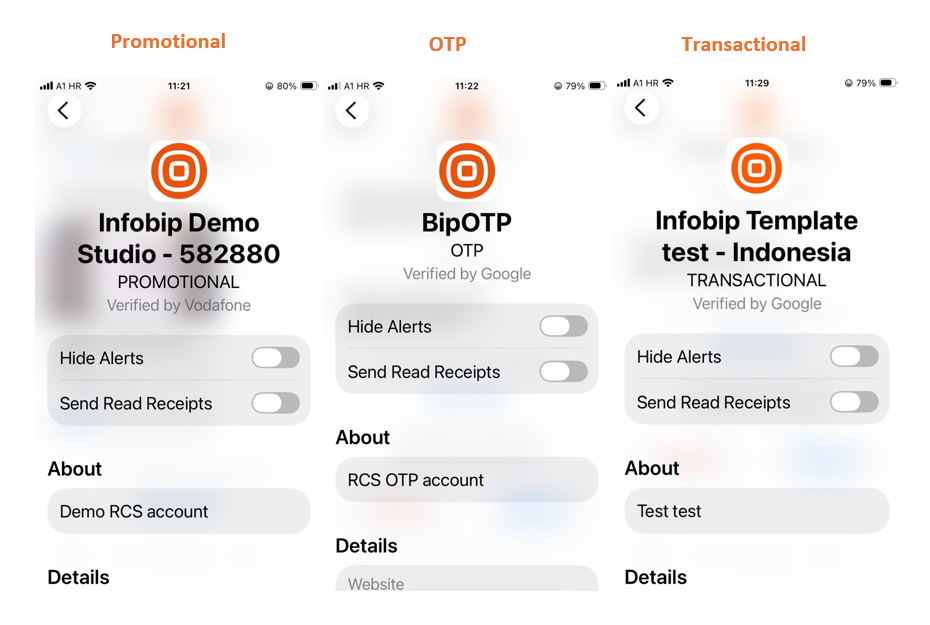
Issue: The agent use case label is visible by default on iOS and cannot be removed or formatted. It always appears in capital letters (OTP, PROMOTIONAL, TRANSACTIONAL) in the Agent details.
Solution: This is expected iOS behavior. Apple displays the use case label prominently for transparency. The label cannot be customized or removed, and always appears in capital letters (OTP, PROMOTIONAL, TRANSACTIONAL).
Agent preview - verified by status
Issue: The Verified by... status displayed in the agent information on an iOS device varies depending on the carrier network and region.
Solution: This is expected behavior. The badge is determined by the carrier verification model, not by Infobip or the agent configuration. For a full explanation of how the badge is determined in different regions, see Carrier verification models.
The Apple RCS implementation controls how this information is displayed within the iMessages application.
Agent preview - privacy policy
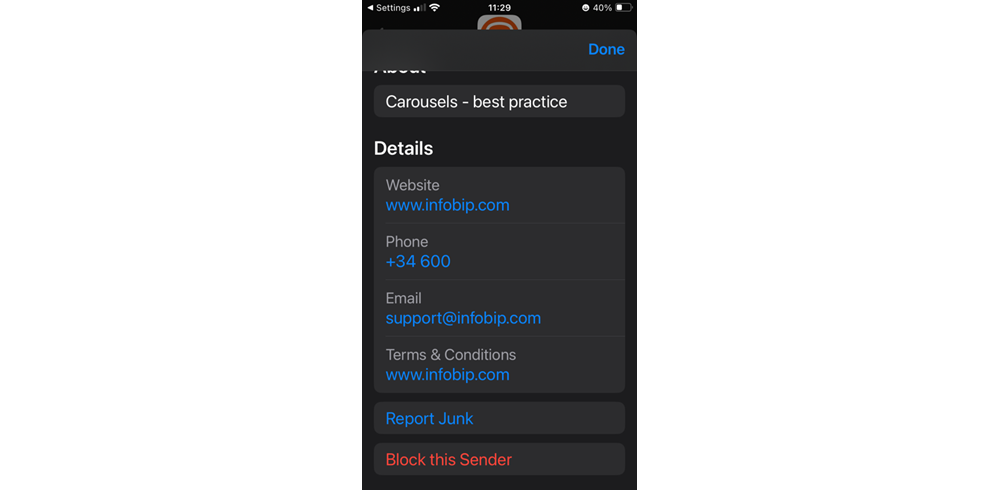
Issue: In the agent preview, the privacy policy is not visible on iOS, only Terms and Conditions.
Solution: This is expected iOS behavior. The Apple RCS implementation displays only Terms and Conditions in the agent preview, not privacy policies.
Agent details - multiuse label not visible
Issue: The multiuse label is not visible in the Agent details.
Solution: This is expected iOS behavior. The Apple RCS implementation does not display the multiuse label in agent details. The label is visible on Android devices.
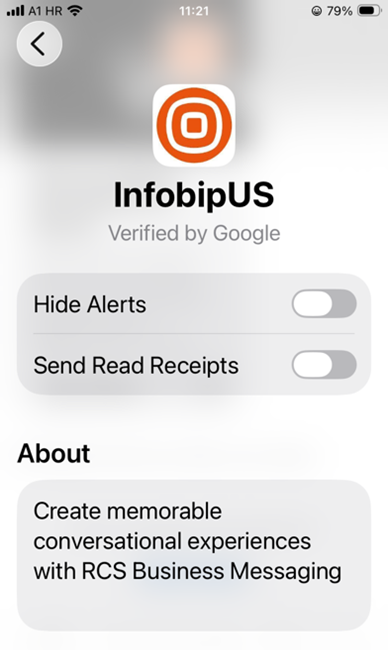
The privacy policy is visible on Android devices in the agent preview. For a complete platform comparison, see Platform-specific behavior summary.
Agent contact details
Issue: When an RCS agent has multiple contact entries (phone numbers, email addresses, or websites), only the first contact per type is visible on iOS. The displayed contact is based on the order set during agent creation. If the agent has two phone numbers or two email addresses, only the first entry in the list is displayed.
Solution: Place the most important contact first in the list for each contact type (phone, email, website) to ensure it is the one displayed on iOS. For a full comparison of contact visibility across platforms, see Agent contact details.
Agent display name and logo – agent ID displayed
Issue:
On some previous iOS versions, the agent ID appears instead of the configured agent display name and logo. For example, infobipus_uvoxbyhg_agent appears instead of the agent display name. This is related to the device cache.
Solution:
- Update the device to the latest available iOS version.
- Delete the existing messaging thread with the agent.
- Restart the device.
- Send a new RCS message from the same agent.
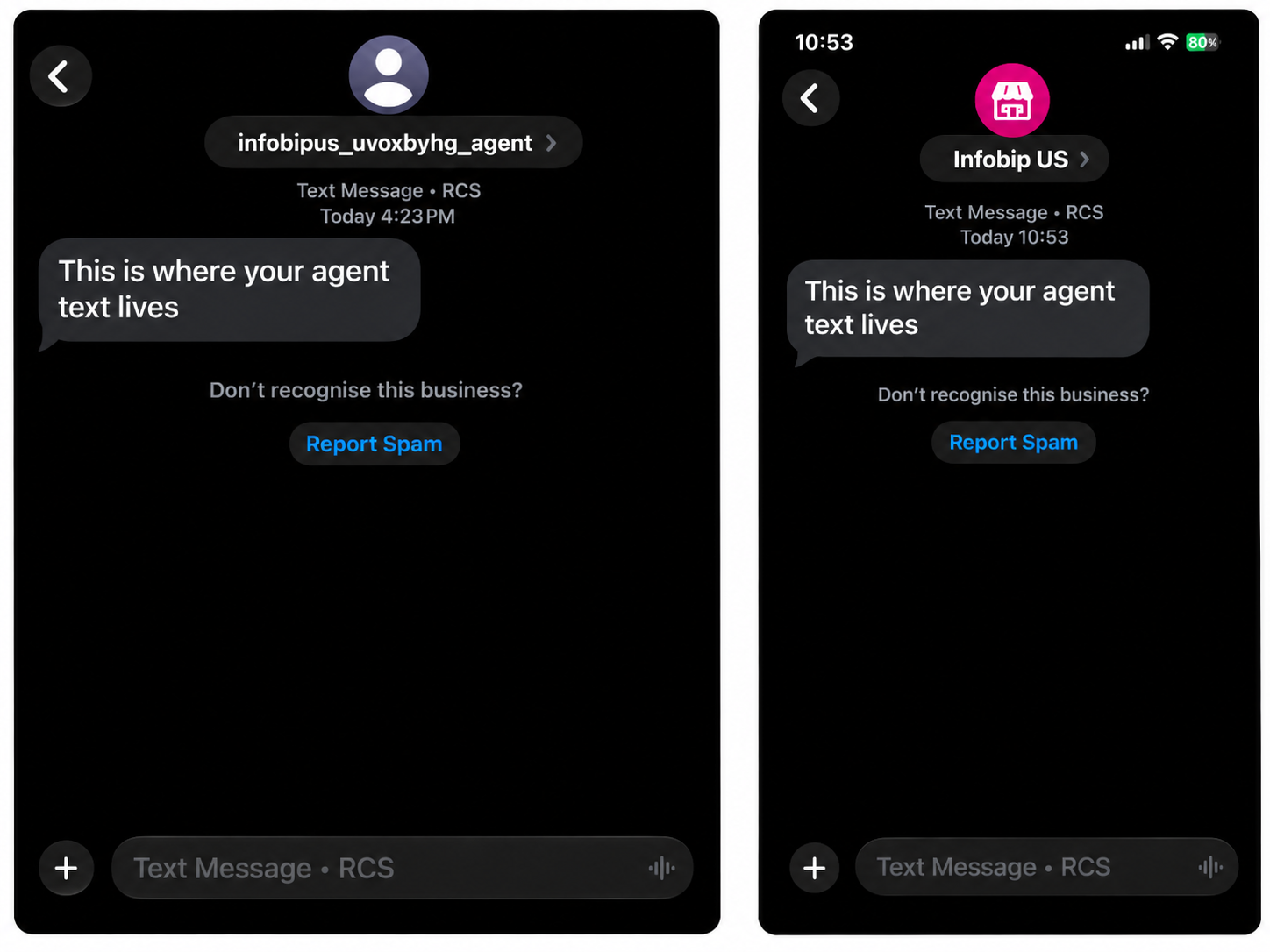
If the issue persists, report it using the Apple Feedback Assistant app. After submitting, send the following to Infobip Support:
- Feedback ID (FBID)
- Detailed description of the issue
- Message screenshots
- Video recordings (optional)
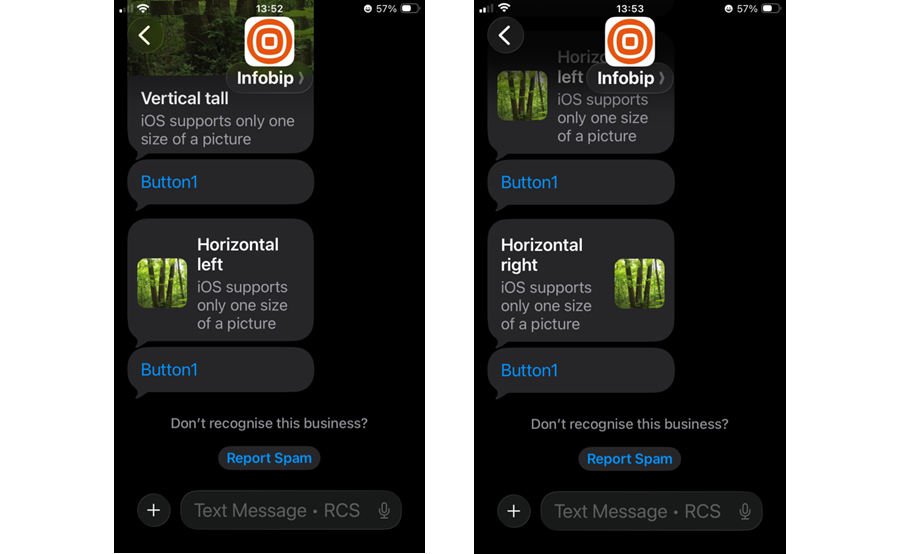
Media preview - vertical card orientation
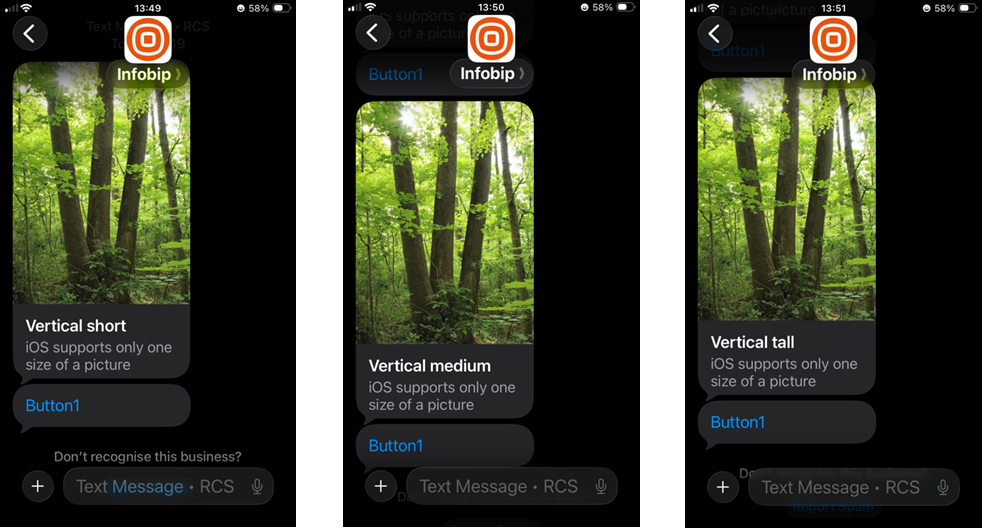
Issue: iOS only supports one card height (image and video). Regardless of selected vertical card height (short, medium, tall), iOS displays the same size.
Solution: Always use the vertical tall setup. For a comparison of how rich cards render across platforms, see Rich cards.
Image examples
Video examples:
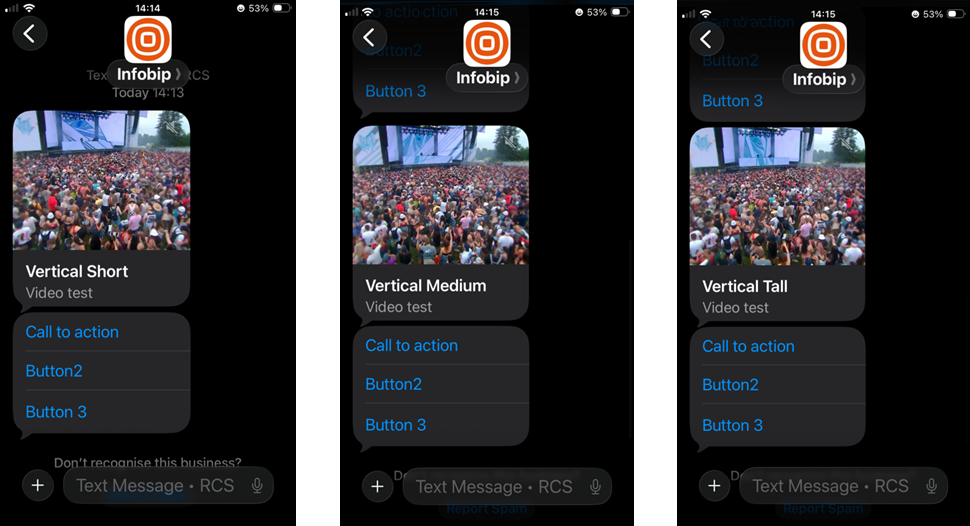
Image preview - horizontal card orientation
Issue: Image truncation occurs when using horizontal card orientation (left or right).
Solution: Use the vertical tall setup.
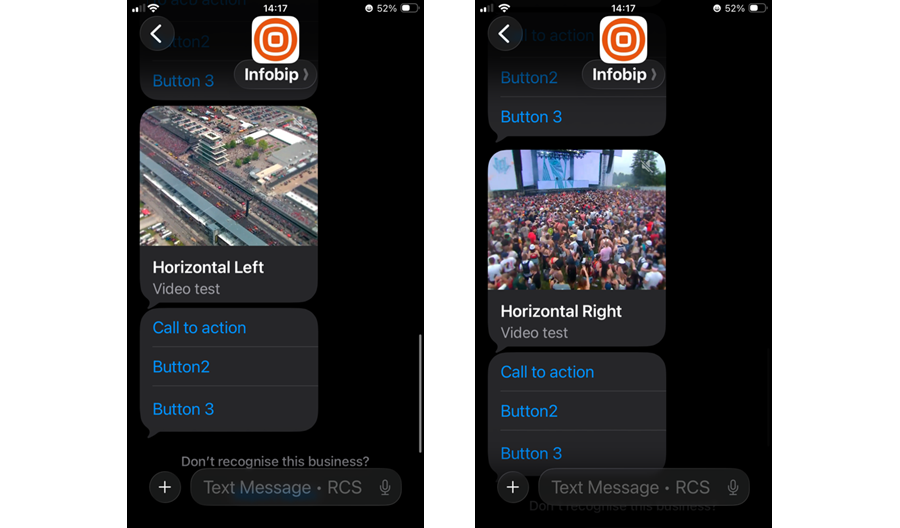
Video preview - horizontal card orientation
Issue: Videos show as vertical when using horizontal card orientation (left or right).
Solution: Use the vertical tall setup.
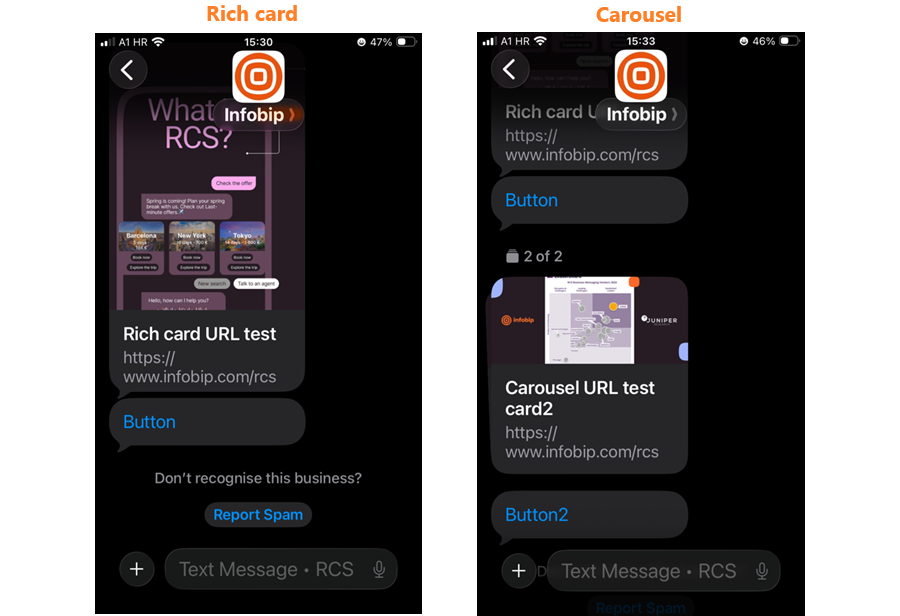
URLs in rich cards and carousels
Issue: URLs in the description of a rich card or carousel are not clickable and appear as plain text.
Solution:
Use suggested actions with the type OPEN_URL (Browser or WebView mode) to redirect users to web pages. For platform differences in URL behavior, see Hyperlinks.
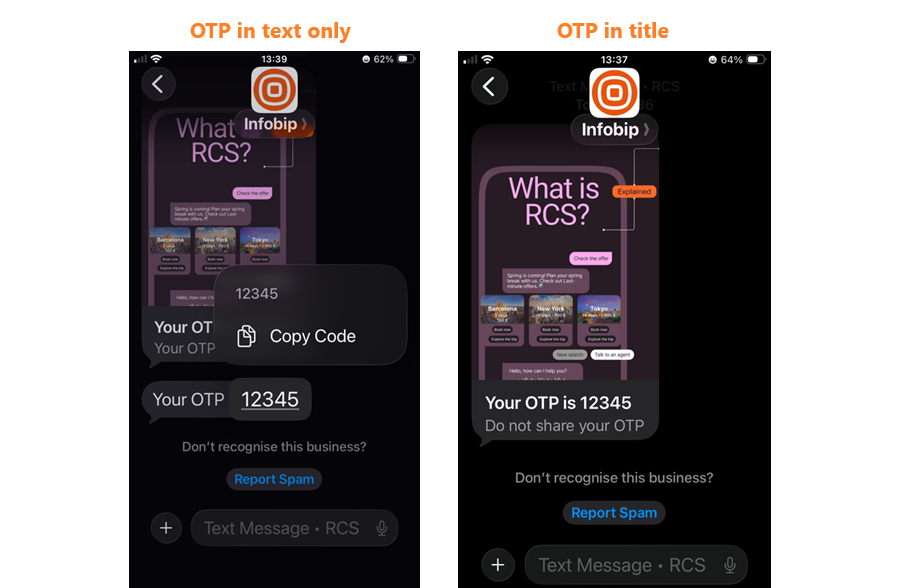
OTPs
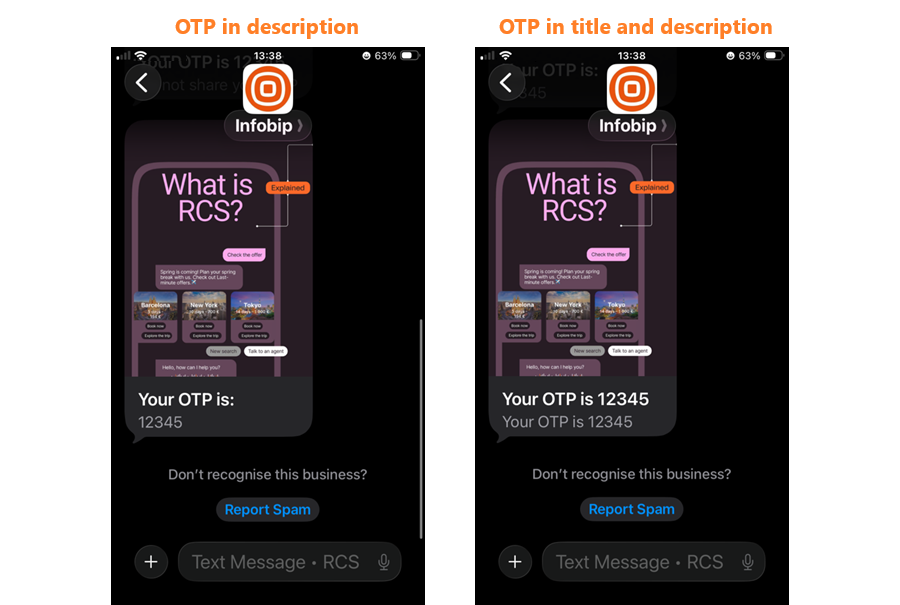
Issue: If an OTP is sent in the title, description, or both, the OTP cannot be copied from the text.
Solution: Send OTPs in text-only messages. For best practices on OTPs and other copyable information, see OTPs and sensitive information.
GIFs in rich cards and carousels
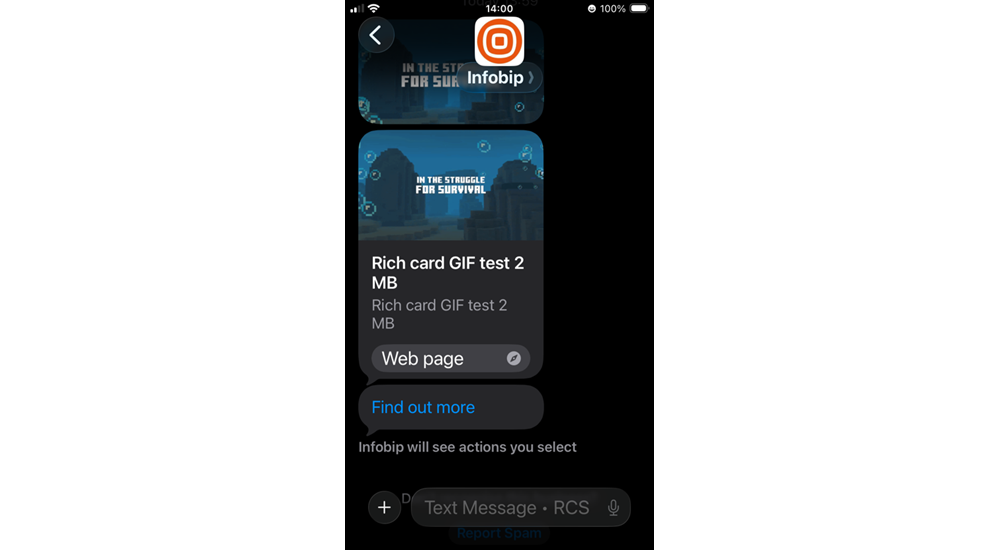
Issue: On iOS, GIFs only work when sent as files. In rich cards and carousels, GIFs appear as static images.
Solution: Use video format for animated content in rich messages. For more details, see Message content considerations - GIFs.
Carousel image cropping
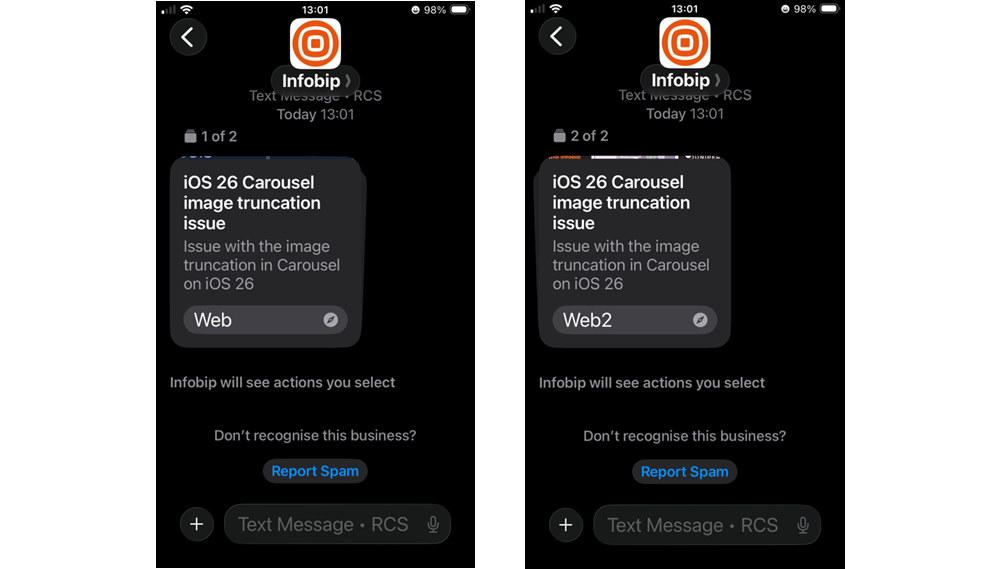
Issue: When users set larger text sizes in iOS, the device prioritizes the title and action elements over the description text and media. This reduces space for the description and media, resulting in image cropping.
Solution: Use a maximum of three lines for title and description text, a single CTA (suggested action), and up to three suggested replies. Make sure to use medium media width with medium media height. For details on why this occurs, see Media cropping with large text.
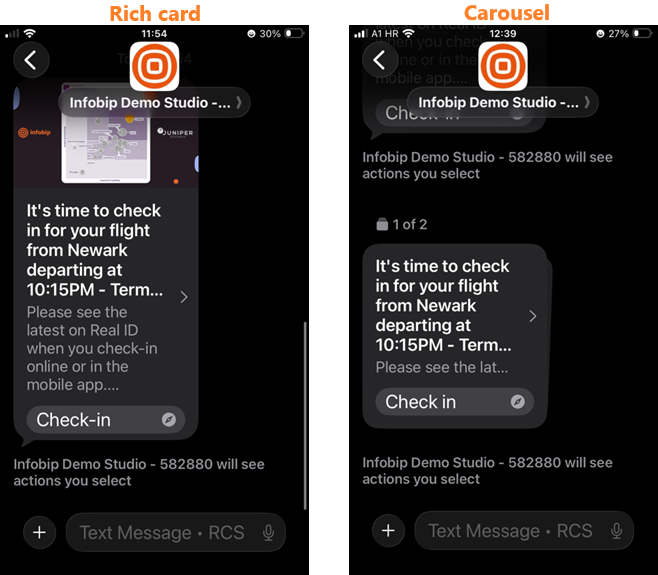
Rich card and carousels - text description and font color
Issue: The text color on rich cards and carousels is very light, which can make it difficult to read.
Solution: This is expected iOS behavior. Apple uses a light text color for rich card descriptions to maintain visual consistency with the iOS design system. Ensure your content is readable by using high-contrast media backgrounds.
Rich cards and carousels - truncated titles
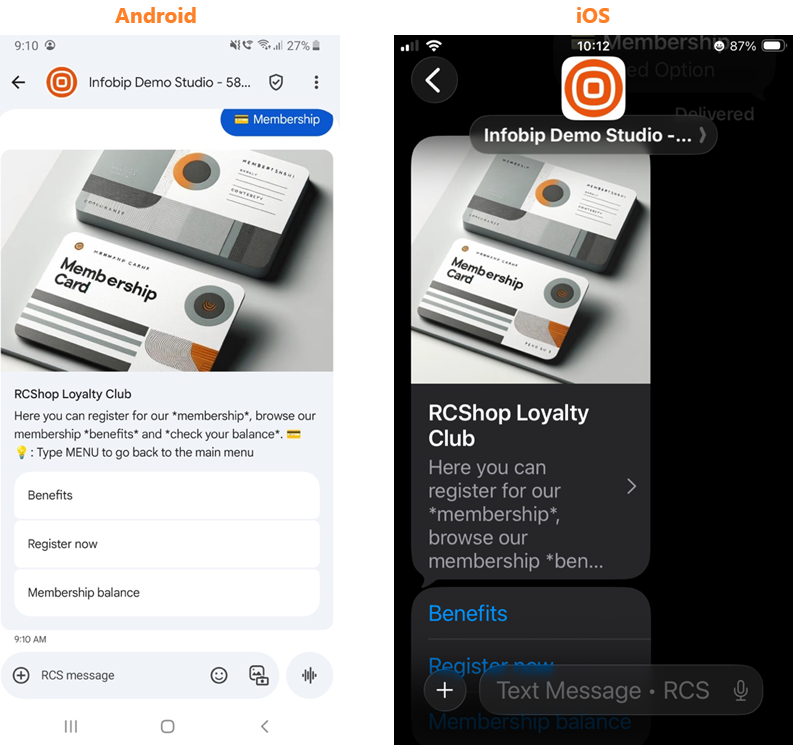
Issue: The title in rich cards and carousels is truncated when it contains too many characters.
Solution: Limit titles and descriptions to a maximum of three lines.
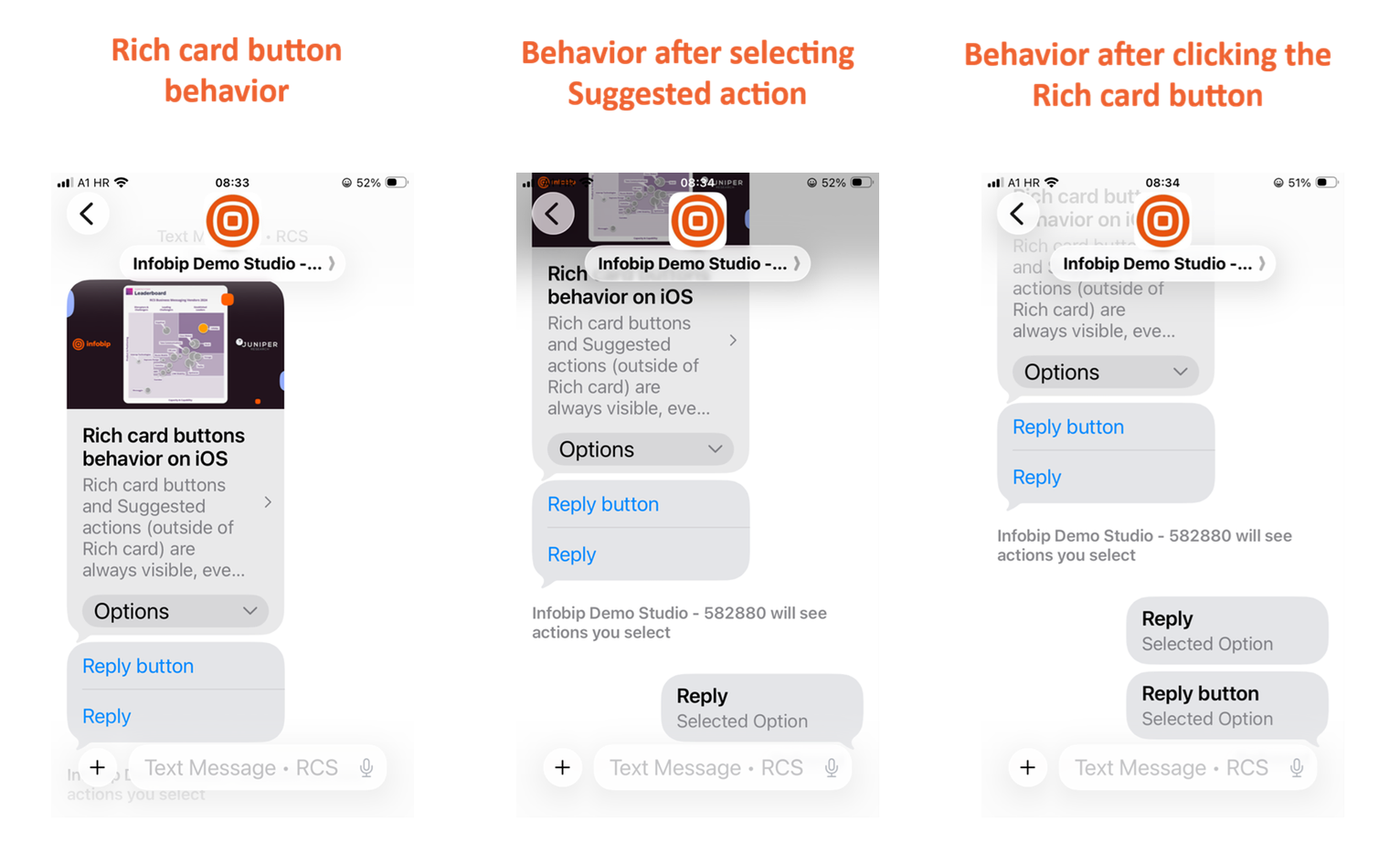
Rich card and suggested actions behavior
Issue: Rich card buttons and Suggested actions (outside of Rich card) are always visible, even after clicking on either Rich card buttons or Suggested actions. This behavior is related to the Suggested actions rendering issue described below. For a full comparison of suggested action behavior across platforms, see Suggested actions.
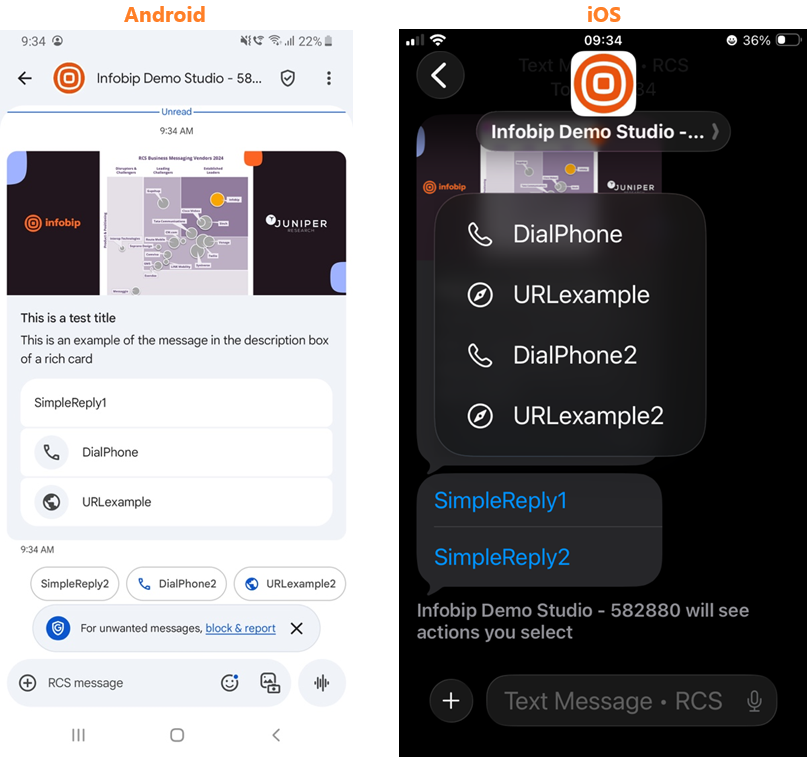
Suggested actions - incorrect sequence
Issue: Suggested replies appear in the wrong order. Suggested actions inside and outside the card are displayed together in one group.
Solution: A solution is not available.
Unknown senders (iOS 26 and 27)
iOS 26 and 27 enable you to filter unknown senders. Messages move to a separate folder and no notification appears.
To turn on this feature:
- Go to Settings > Apps > Messages.
- Scroll down to Message Filtering.
- Turn on the filter under Screen Unknown Senders.
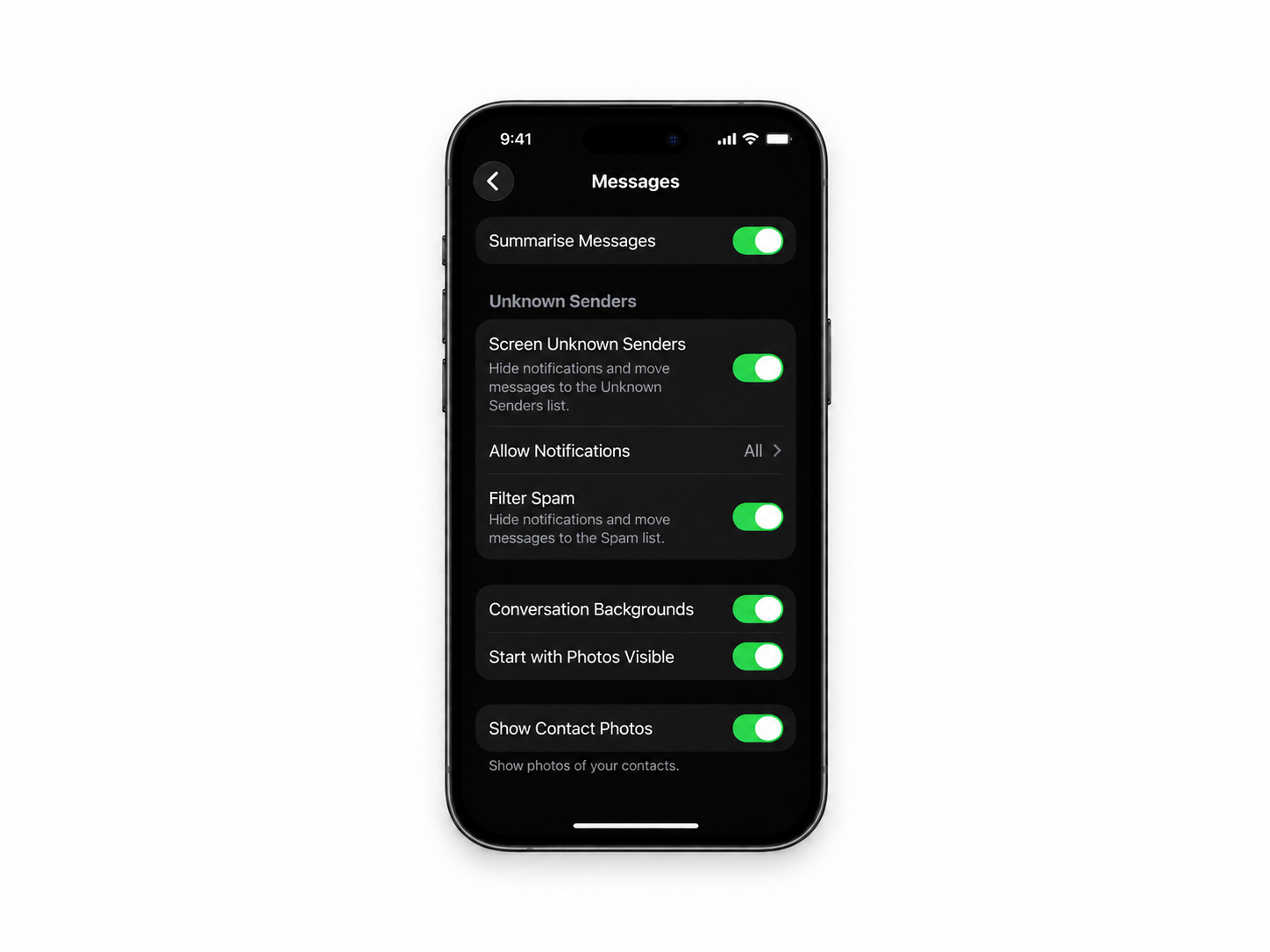
This feature is disabled by default. When enabled, it can reduce visibility and have an impact on RCS performance.
If you turn on the Unknown Sender filter, the following behavior is expected:
- The first message is visible in both the Messages and Unknown Senders folders, with an Unknown sender mark.
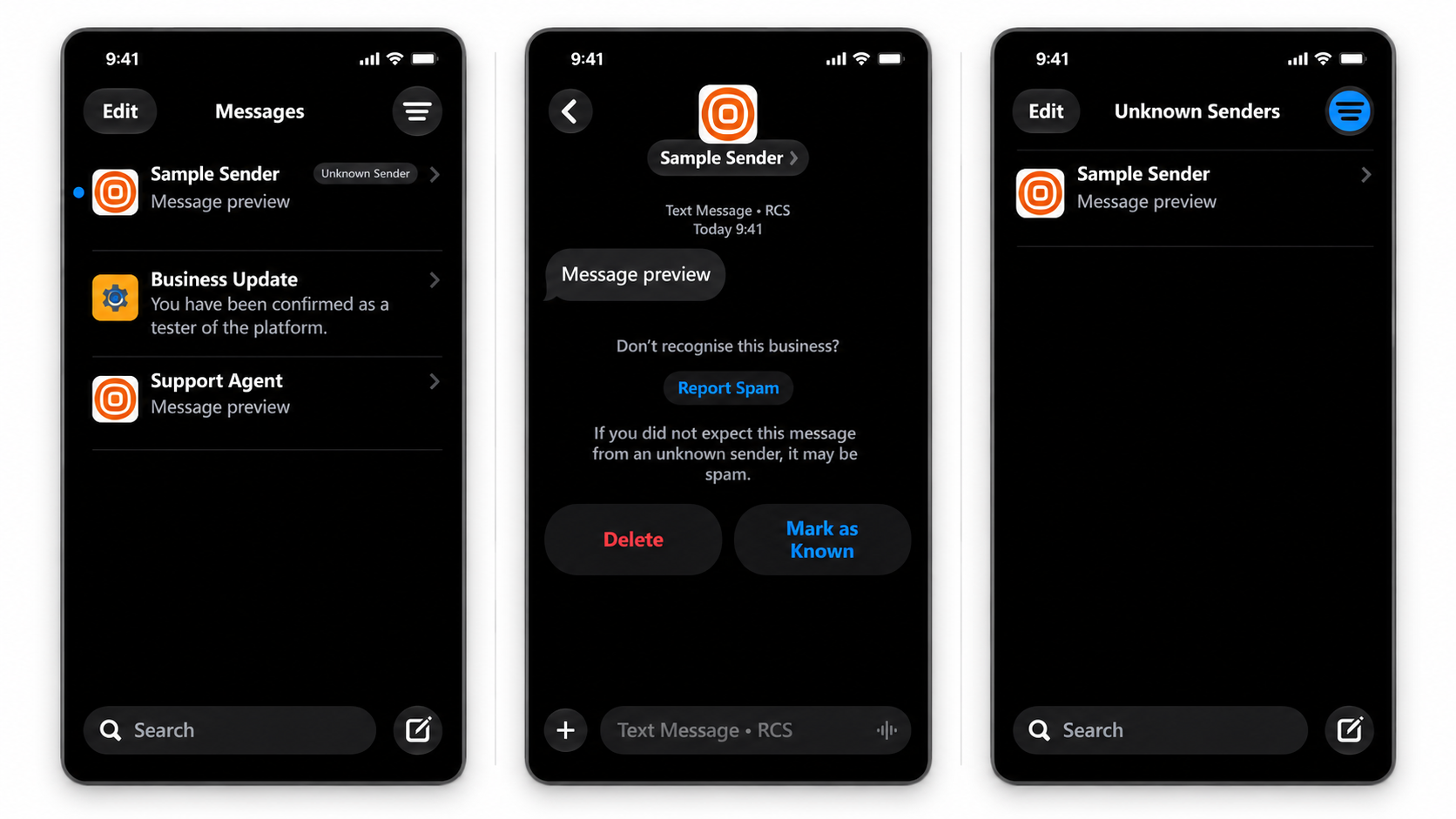
- Two options are available:
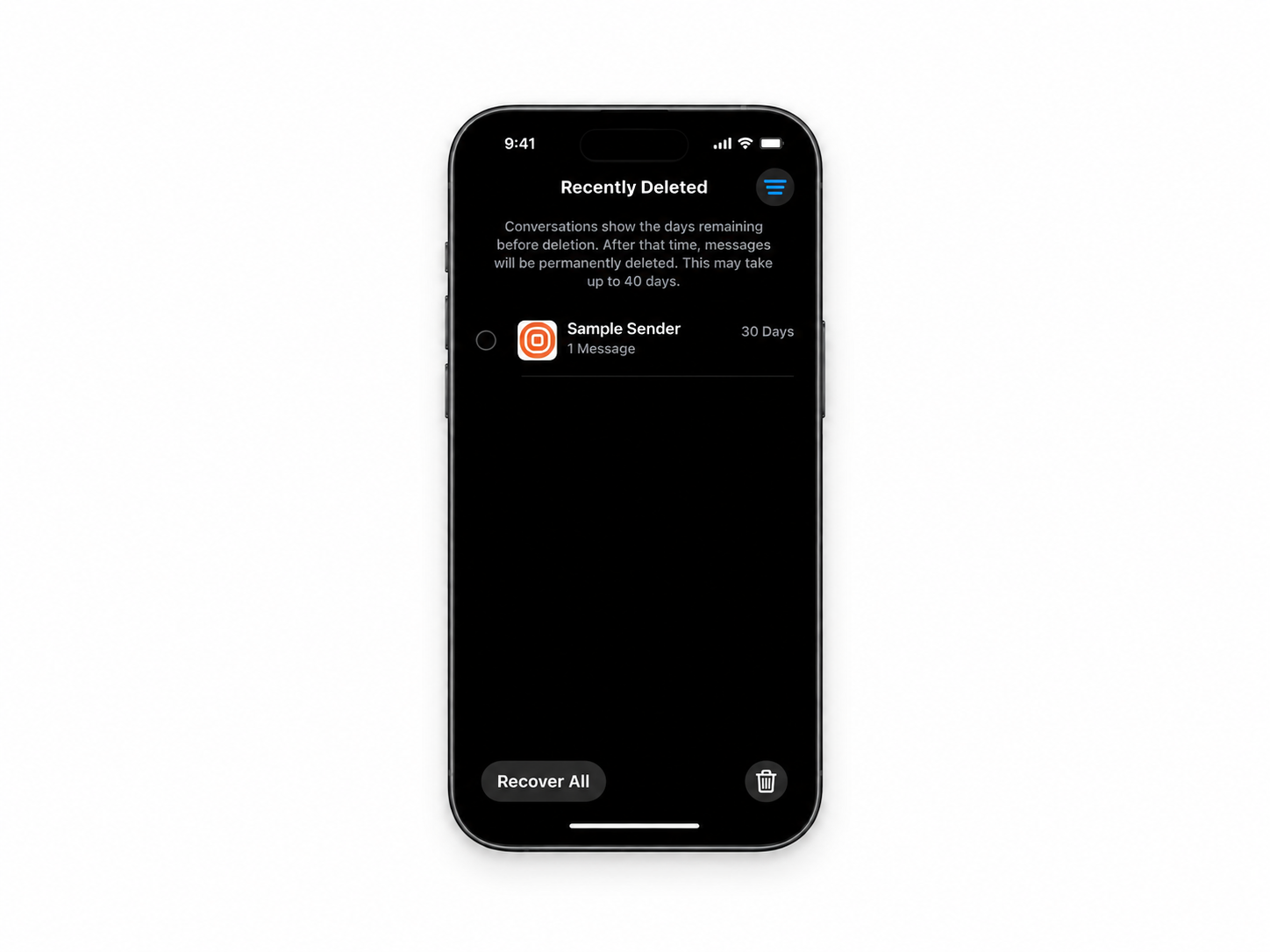
- Delete - the message is deleted and moved to the Recently Deleted folder.
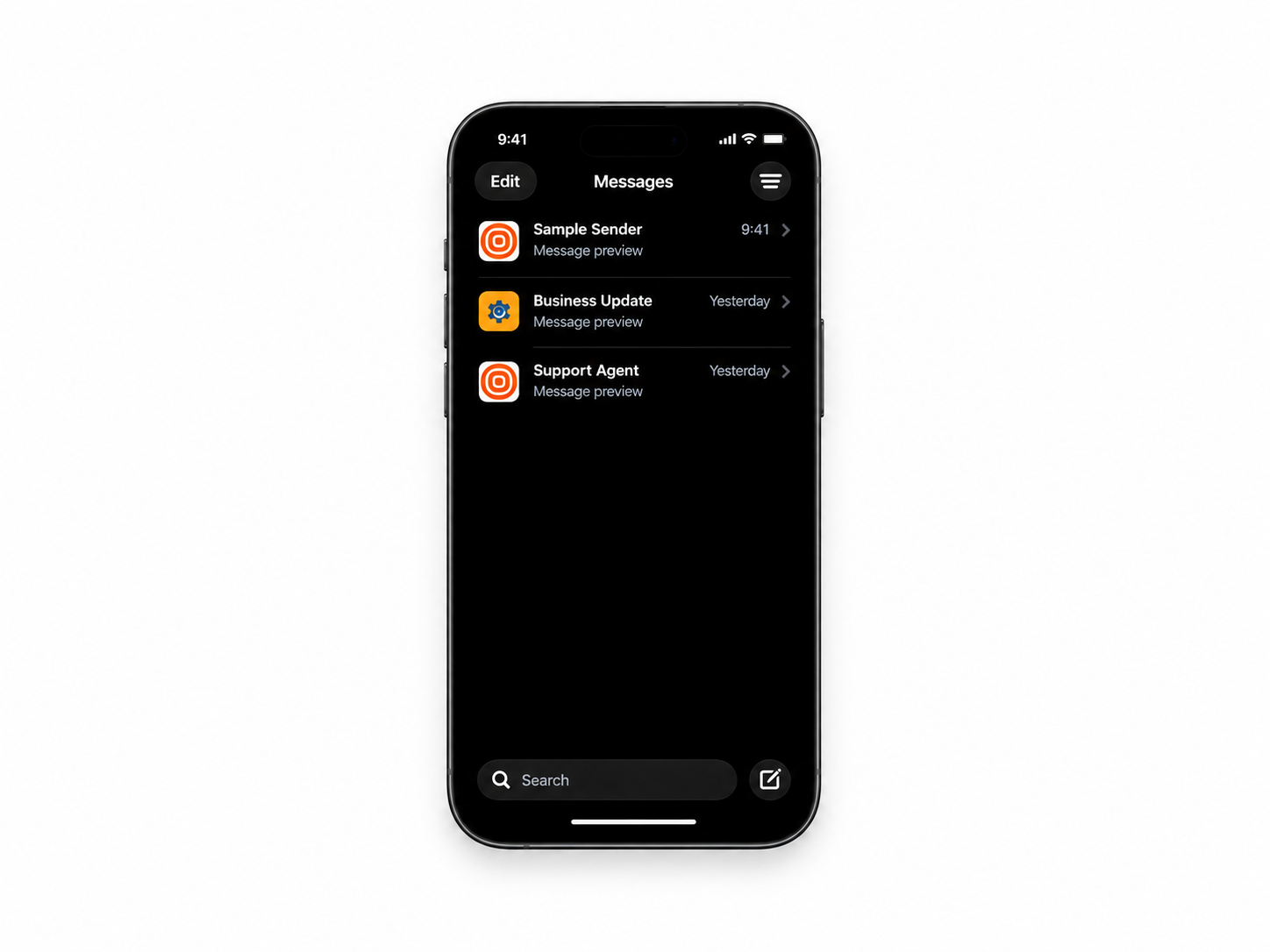
- Mark as Known - the message is visible in the Messages folder without the Unknown sender mark, and is removed from the Unknown Senders folder.
MO delivery status
Issue: MO (Mobile-Originated) messages on iOS devices show a Not Delivered status, despite the messages being successfully delivered to the end user. This issue is confirmed on iOS 26.6.
Solution: This issue has been escalated to both RBM and Apple Support for investigation.
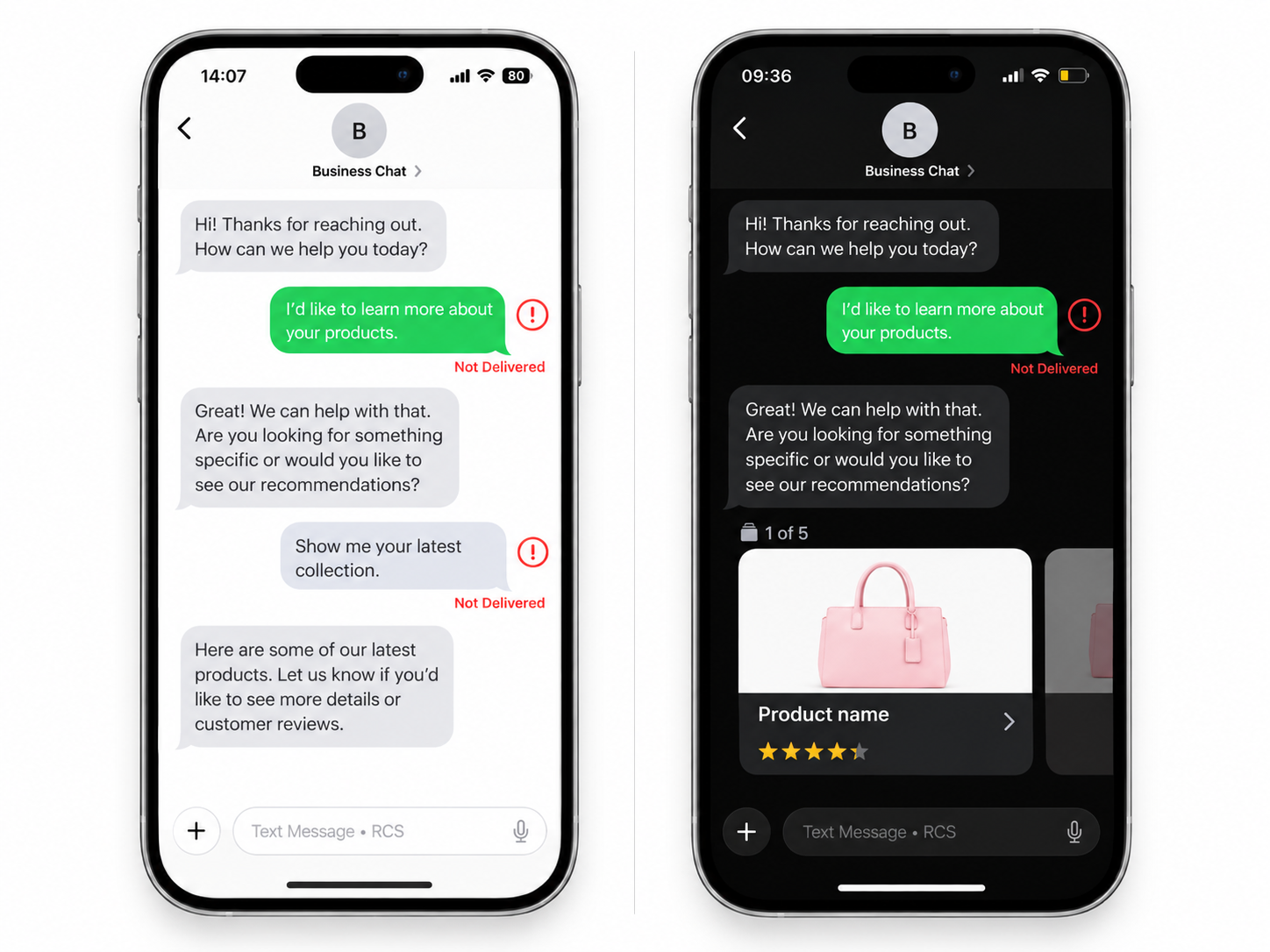
No issues are observed on iOS 27.
For end-user block and report spam behavior, Google's spam notice process, and recommended preventive actions, see Manage RCS block and spam reports.